


Operations Manual & Feature Guide
How to Read this Guide & Platform Metrics
This document provides an in-depth operational, functional, and technical walkthrough of every page, component, modal popup, and action button across 3CN platform.
Chapter Structure:
1. Functional Purpose: Core goal and operational benefits.
2. UI Controls Map: Complete inventory of interactive buttons and inputs.
3. Operational Workflow: Step-by-step procedure from execution to completion.
4. Parameter Domain: Compact 2-column tables (Parameter & Values and Description).
Theoretical Deep-Dive: For mathematical vector models, Multi-LLM fallback strategies, and regulatory compliance (EU AI Act, GDPR), consult the whitepaper in Project.
Digital Kiosk & Daily Editions Flip
Portal Location: Home Page (/)
Functional Purpose: The Digital Kiosk presents curated daily publications (strictly capped at 3 high-impact articles per day) allowing users to seamlessly browse past editions from the last 7 days with a clean editorial layout.
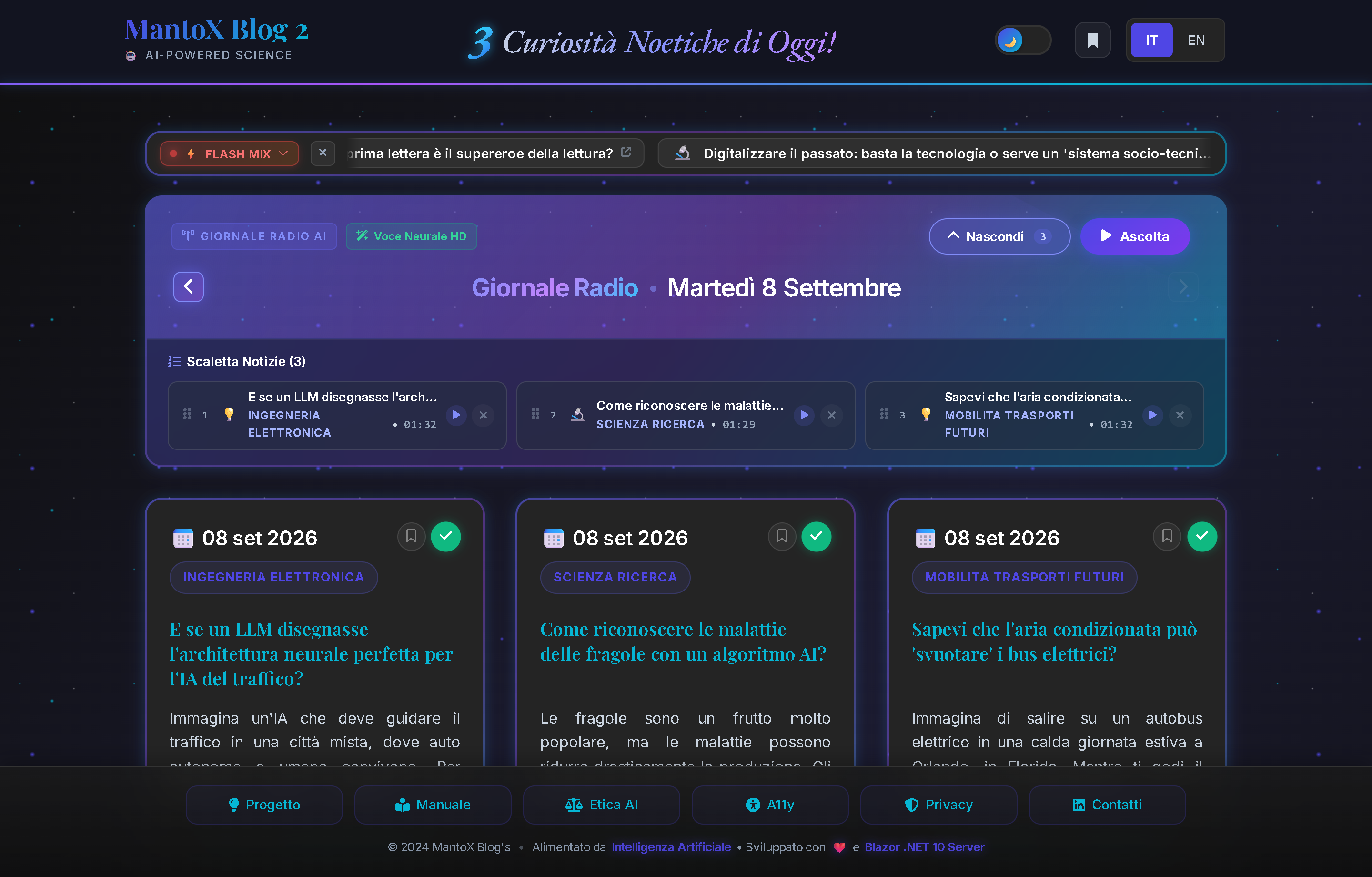
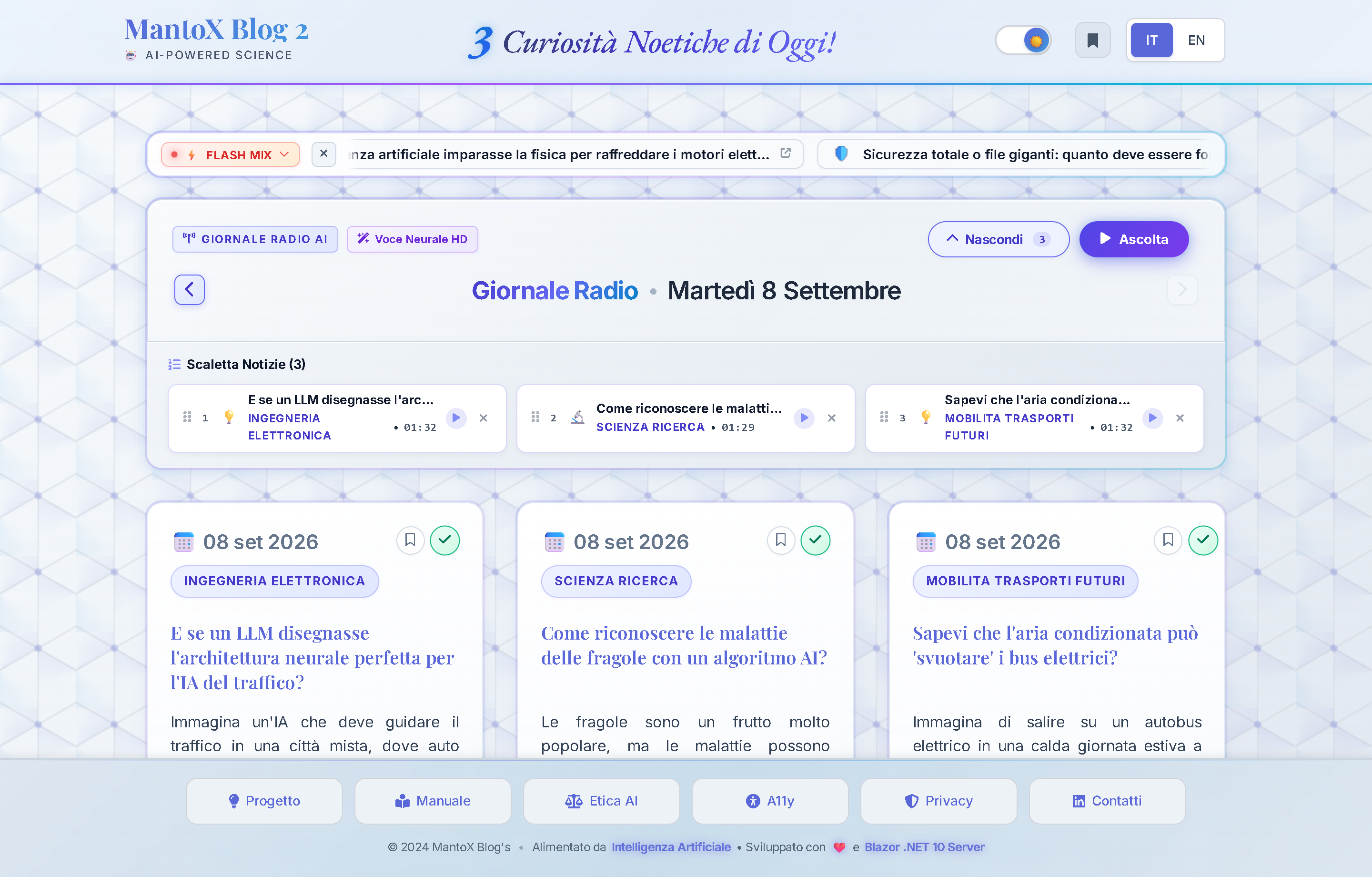
Controls & Buttons Map
①Upper TV Thematic Ticker: Dynamic banner grouping news into thematic clusters (⭐ TOP, 🤖 TECH, 🚀 SPACE, 🧬 BIO, ⚛️ QUANTUM). Clicking a cluster isolates and displays only news belonging to that topic.②[ ‹ Yesterday ]Button: Loads previous day's edition while preserving current podcast audio queue state.③📅 Today's EditionBadge: Central pill showing current edition date; clicking it instantly returns to today's edition.④[ Next › ]Button: Advances towards newer editions (disabled on today's edition).⑤[ 🎙️ Listen to this Edition ]Button: Enqueues the entire day's package into MantoX Radio, automatically playing Track 0 Radio Host Intro followed by the 3 articles (see Chapter 02 MantoX Radio).⑥Bookmark Icon🔖(on NewsCard): 1-click toggles article saving to browserlocalStorage(see Chapter 06 Local Bookmarks).⑦Source & License Badge: Displays original publisher (e.g., NASA, Nature, Phys.org) with direct link to source paper and CC BY 4.0 open license compliance.
Recommended Workflow: Open Home Page, inspect the Ticker TV for active clusters, browse editions with [ ‹ Yesterday ], and press [ 🎙️ Listen to this Edition ] for continuous hands-free playback.
Configuration & Parameter Domain
| Parameter & Values | Description & Operational Impact |
|---|---|
|
MaxNewsPubliched
|
Max historical articles loaded in memory for kiosk navigation. |
|
DateMinArticles
|
Minimum valid date for inclusion in kiosk flip. |
Architecture Deep-Dive: See Project ➔ Workflow & Pipeline for how daily editions are curated and served.
MantoX Radio & Seamless Podcast
Portal Location: Floating Upper Player & Playlist Drawer
Functional Purpose: Transforms scientific reading into a radio experience. Every morning the pipeline synthesizes a dynamic Track 0 ("Good morning MantoX Radio") summarizing key topics with a broadcaster tone, followed by the news in continuous play.
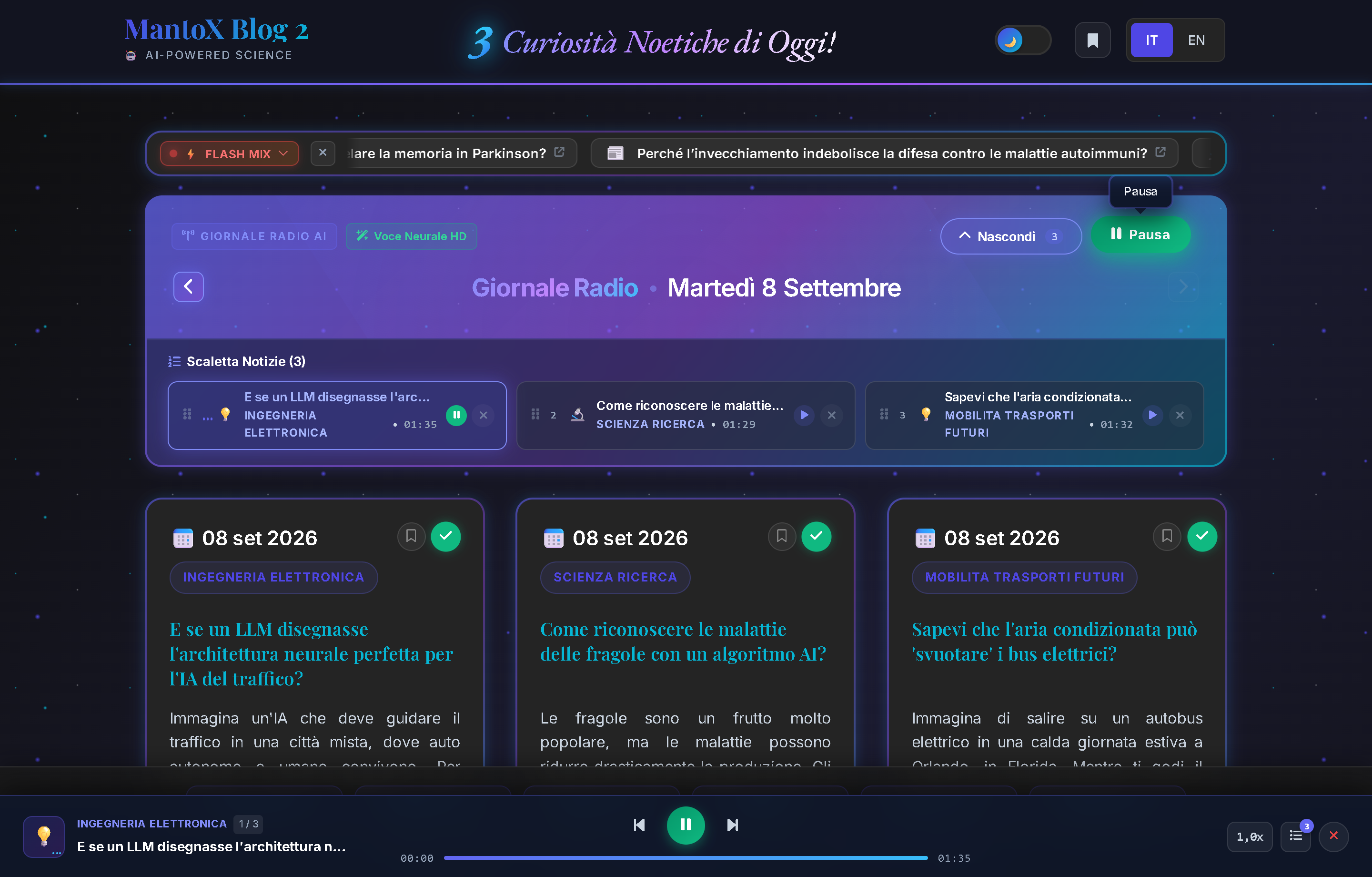
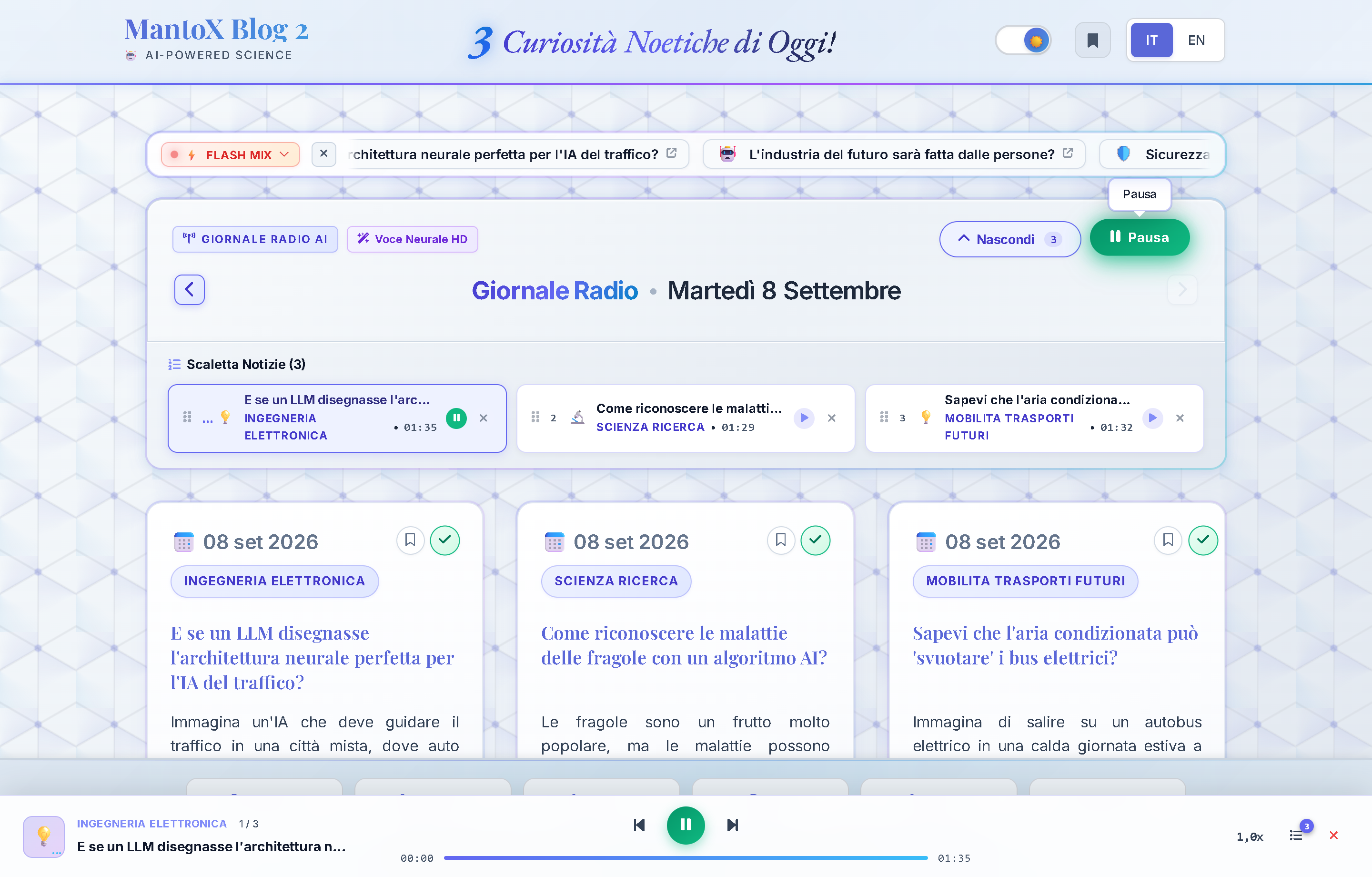
Controls & Buttons Map
①Play / Pause Button (fa-play/fa-pause): Starts or pauses playback with seamless HTML5 audio buffering.②Previous / Next Track Buttons: Instantly jumps between articles without interrupting playback session.③Timeline Scrubbing Bar: Interactive slider to seek forward/backward with real-time timestamps ("01:24 / 03:45").④Speed Pills (1.0x,1.25x,1.5x): Adjusts speech tempo in real time while preserving natural voice pitch.⑤Playlist Button (fa-list-ol): Opens sliding playlist drawer; allows jumping to any track or removing tracks with✕.⑥Minimize / Close Button: Minimizes player to a floating pill or stops audio completely.
Configuration & Parameter Domain
| Parameter & Values | Description & Operational Impact |
|---|---|
|
Tts
›
Rate
|
Speech synthesis tempo (higher values deliver a faster, engaging pace). |
|
Tts
›
Pitch
|
Voice pitch tone (lower values offer a deeper, warmer radio tone). |
|
Tts
›
Azure
›
VoiceEN
|
Neural HD voice model applied for English articles. |
Architecture Deep-Dive: See Project ➔ Neural Voice Synthesis for Edge-TTS / Azure Speech HD architecture.
Neural Semantic Search & Trend Radar
Portal Location: News Archive (/news)
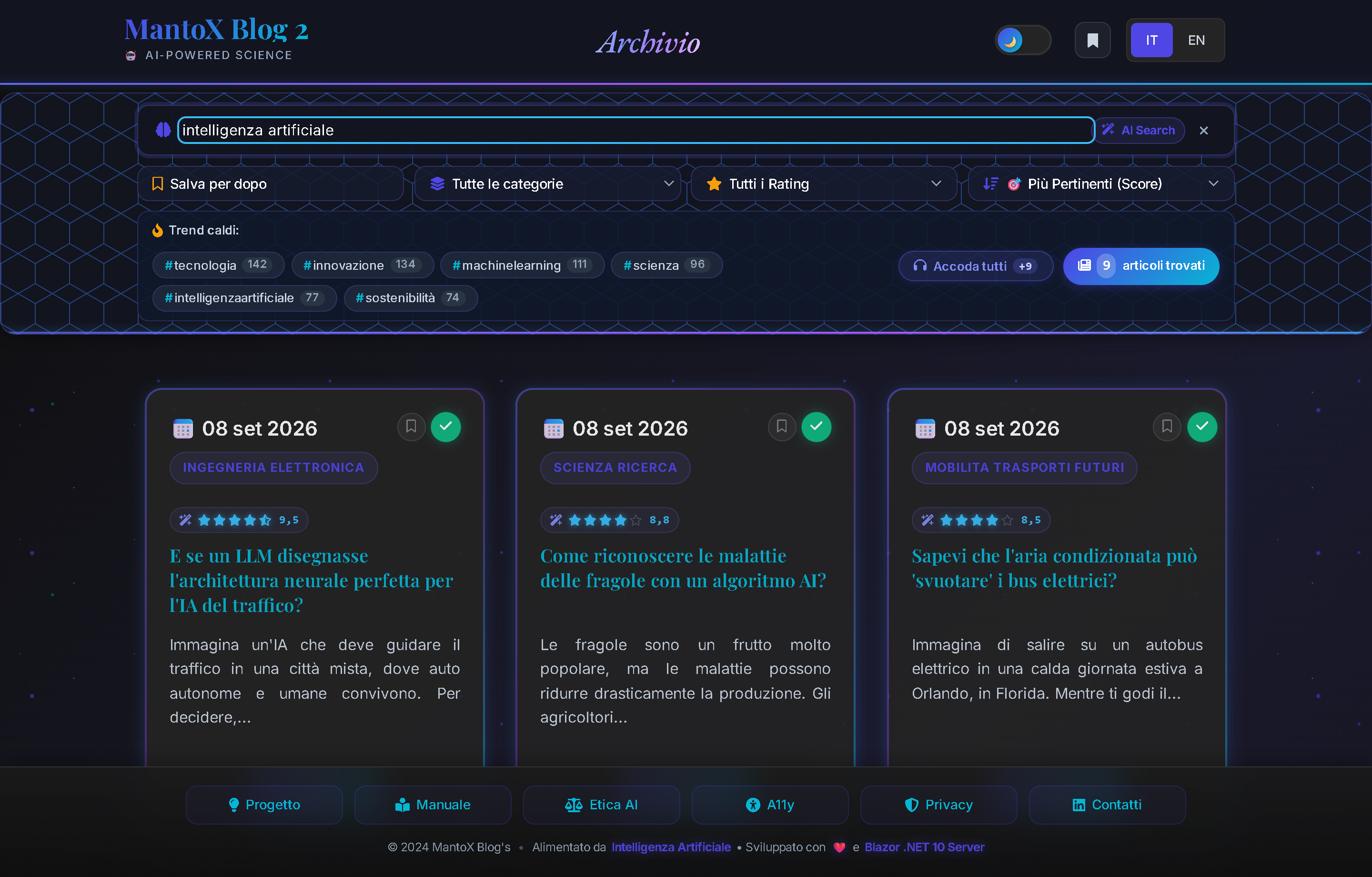
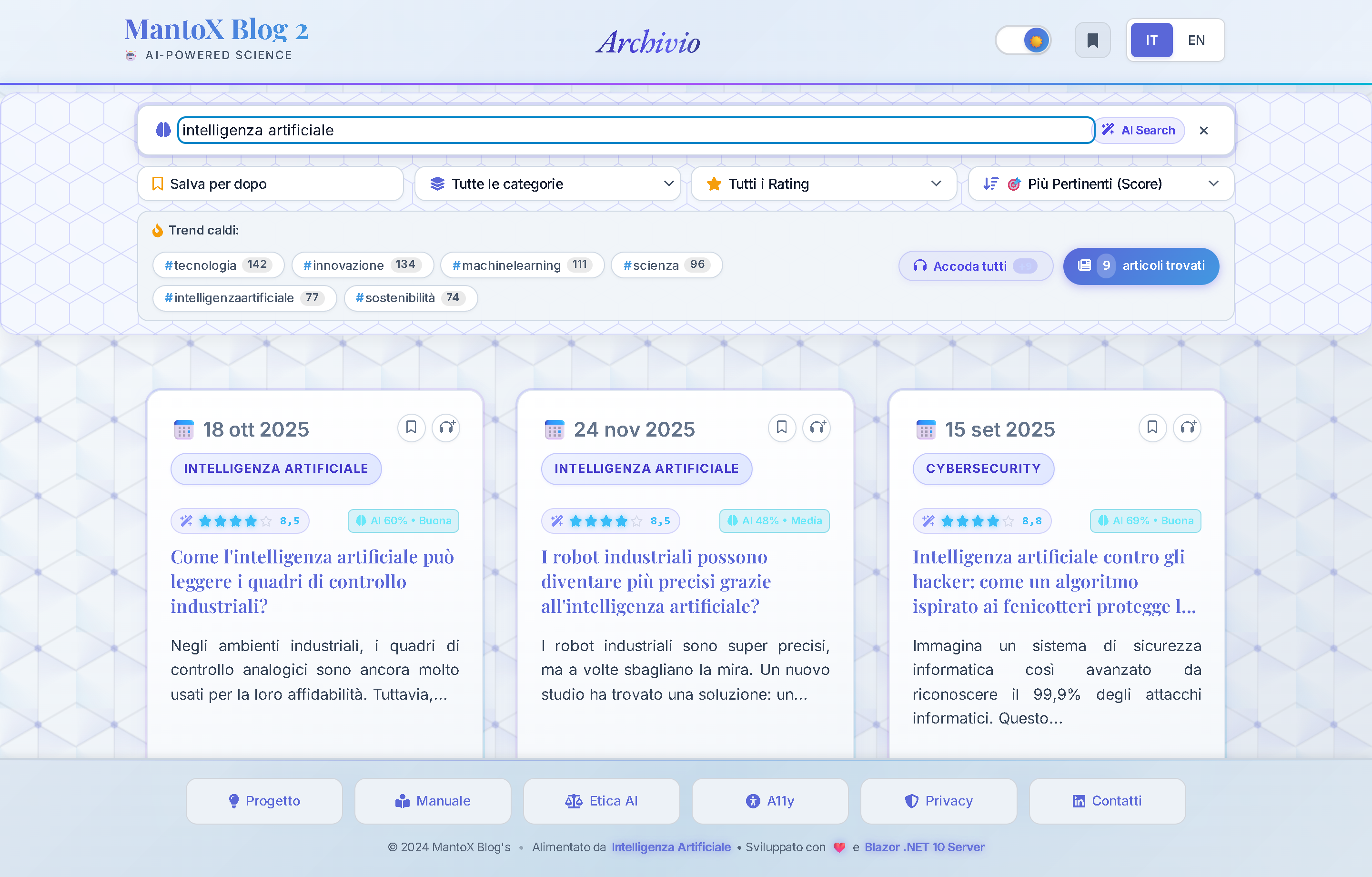
Functional Purpose: Combines classical full-text search with an ONNX neural vector search engine: queries by conceptual meaning even when keywords do not match. The Trend Radar provides an interactive infographic with SVG Donut Chart, segmented progress bar, and zero-latency timeframe selector.
Controls & Buttons Map
①Neural Search Bar (fa-brain): Reactive search input with 300ms debounce. Typing displays the green.search-ai-active-pillindicating ONNX vector search is engaged.②Timeframe Switcher Pills ([ 7D | 1M | 3M | 1Y | All ]): Instantly recalculates (0ms latency directly from cached RAM) category proportions and Donut Chart slices across 7 days, 1 month, 3 months, 1 year, or the entire archive.③SVG Vector Donut Chart: Circular chart with proportional colored slices ensuring 100% exact coverage, interactive hover tooltips, and dynamic centered counter.④Interactive Category Cards (e.g.,🔬 Science (20.8%)): Filters archive with 1 click navigating to clean canonical SEO URL/news/category/science.⑤Interactive Hashtag Cloud (e.g.,#quantum (12)): Popular topic pills leading directly to clean route/news/topic/quantum.⑥🧠 AI 94%Result Badge: Displays Cosine Similarity score computed by localall-MiniLM-L6 INT8neural model.⑦🔤 KeywordResult Badge: Indicates exact text match on title, tags or content.⑧In-Memory Filter State: Ad-hoc searches and advanced filters are kept in memory (Scoped); navigating back from an article restores scroll position and active filters without polluting URL query strings.⑨[ 🔖 Saved for later (N) ]Filter Chip: Isolates all articles saved in user's local bookmarks (see Chapter 06 Bookmarks).
Configuration & Parameter Domain
| Parameter & Values | Description & Operational Impact |
|---|---|
|
SearchConfig
›
SemanticSearch
›
MinSimilarityThreshold
|
Cosine similarity cutoff threshold. |
|
SearchConfig
›
SemanticSearch
›
SemanticWeight
|
Weight of neural semantic match in composite ranking score. |
|
SearchConfig
›
Boosts
›
HighRatingBoost
|
Visibility boost granted to articles with rating >= 8.5. |
Architecture Deep-Dive: See Project ➔ Neural Semantic Search for ONNX INT8 and Cosine Similarity specs.
"Ask AI" (Smart Q&A Flash) & Article Detail
Portal Location: Article Detail Page (/article/...) & NewsCards
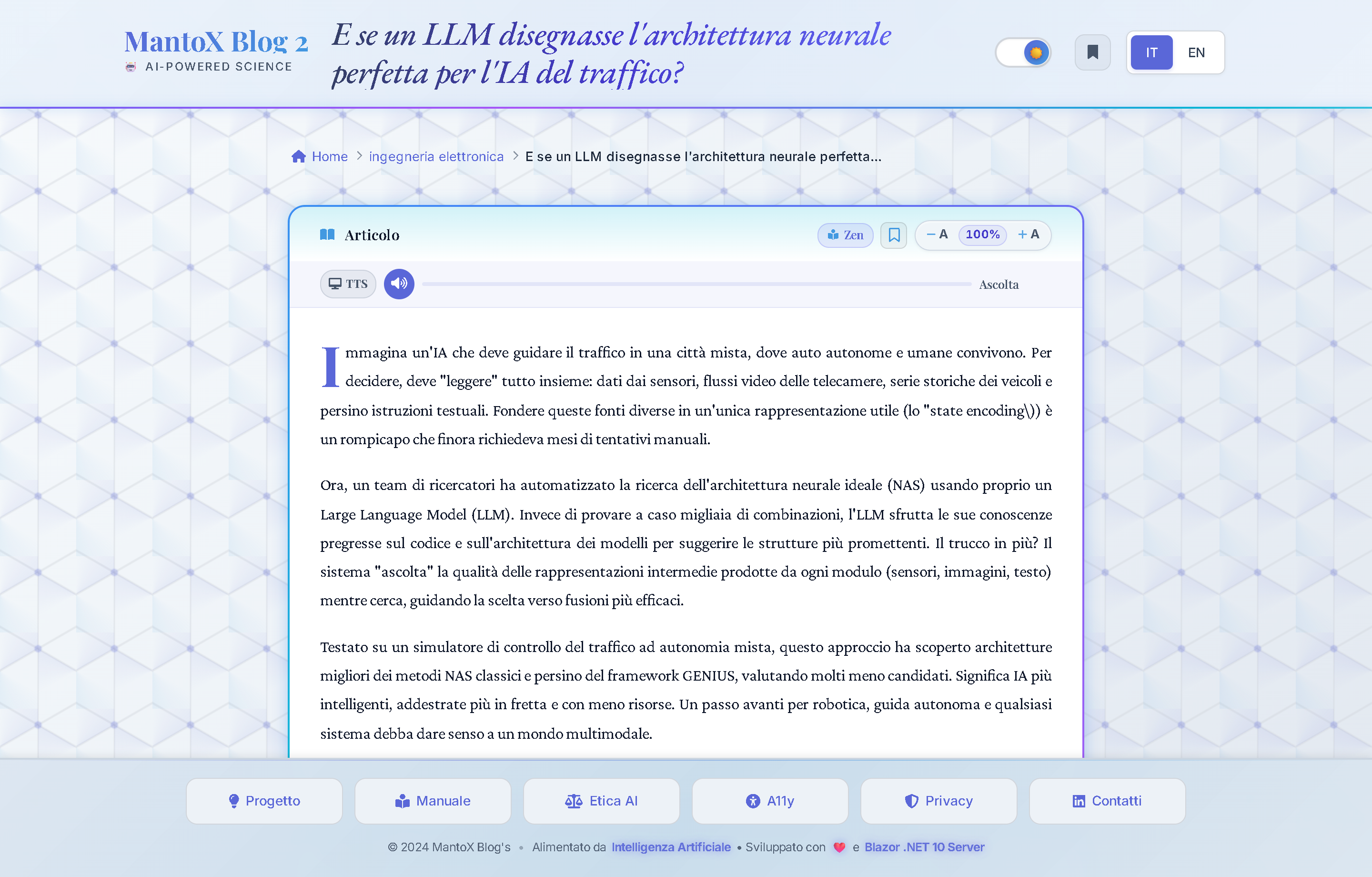
Functional Purpose: Instantly breaks down dense scientific discoveries through 3 structured cognitive lenses generated at zero additional cost during LLM ingestion.
The 3 Cognitive Lenses:
👶 [ Explain Simply ]: Popularized science rewritten with metaphors for non-specialists.
⚖️ [ Pros and Cons ]: Balanced critical analysis evaluating benefits, costs, and limits.
🔭 [ What Lies Ahead ]: 5-year future outlook and industrial/health implications.

Controls & Buttons Map
①[ 👶 Explain it simply ]Pill: Displays simplified explanation rewritten with metaphors for non-specialists.②[ ⚖️ Pros and Cons ]Pill: Displays balanced critical analysis weighing benefits against technological limitations or ethical costs.③[ 🔭 What lies ahead ]Pill: Displays 5-year future outlook and industrial/health implications.④Glassmorphic Answer Card: Translucent popup appearing beneath pills with smooth animation and✕dismiss button.⑤Copy Link Button (fa-link): Copies direct permalink with anchor tag to clipboard.
Configuration & Parameter Domain
| Parameter & Values | Description & Operational Impact |
|---|---|
|
MaxSmartQA
|
Max articles enriched with Smart Q&A per batch run. |
Zen Reading Mode & Accessibility (WCAG 2.1)
Portal Location: Fullscreen Immersive Overlay
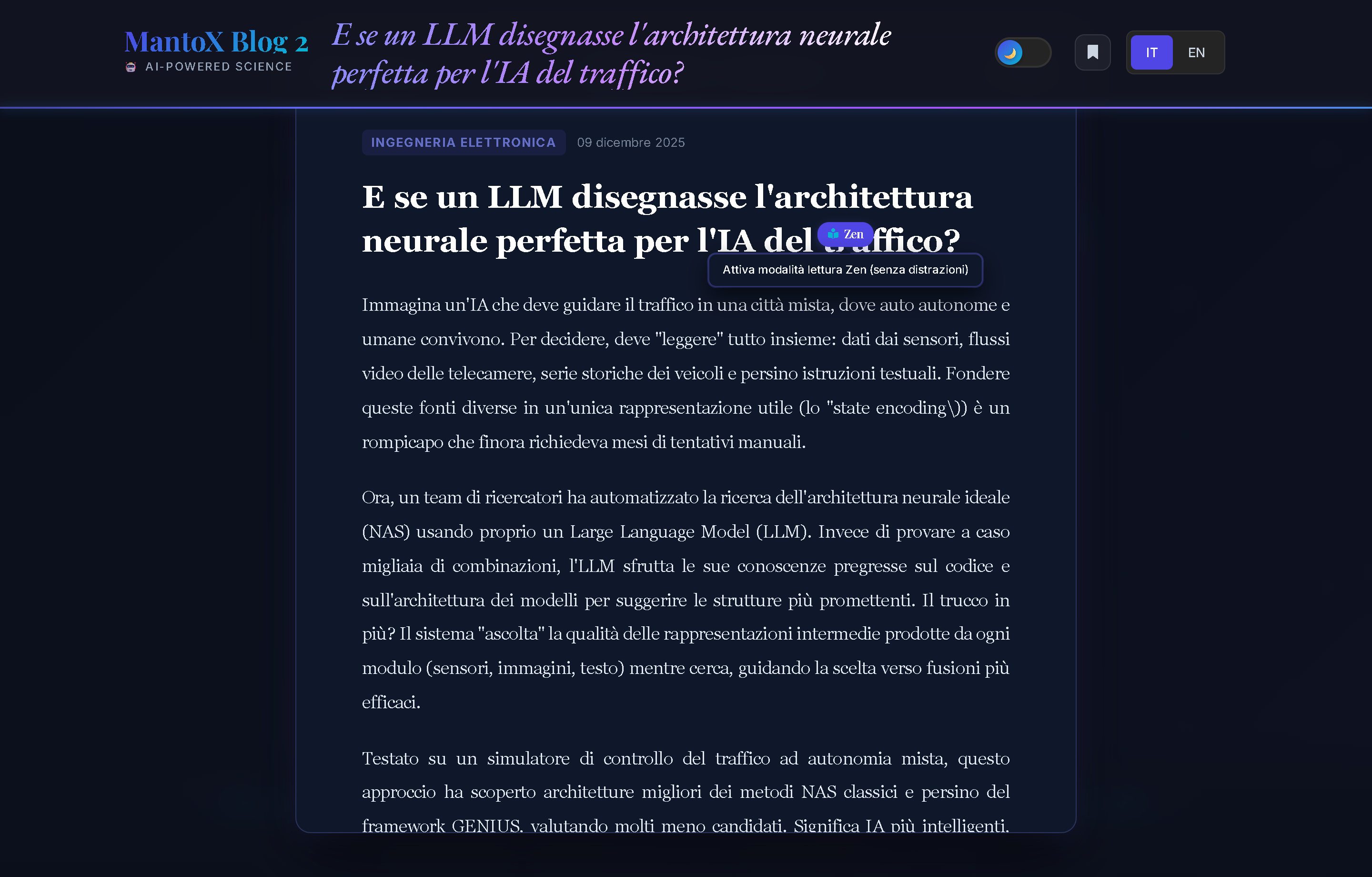
Functional Purpose: Removes all website distractions to provide optimal reading comfort with WCAG 2.1 AA compliant color palettes and full screen reader compatibility.
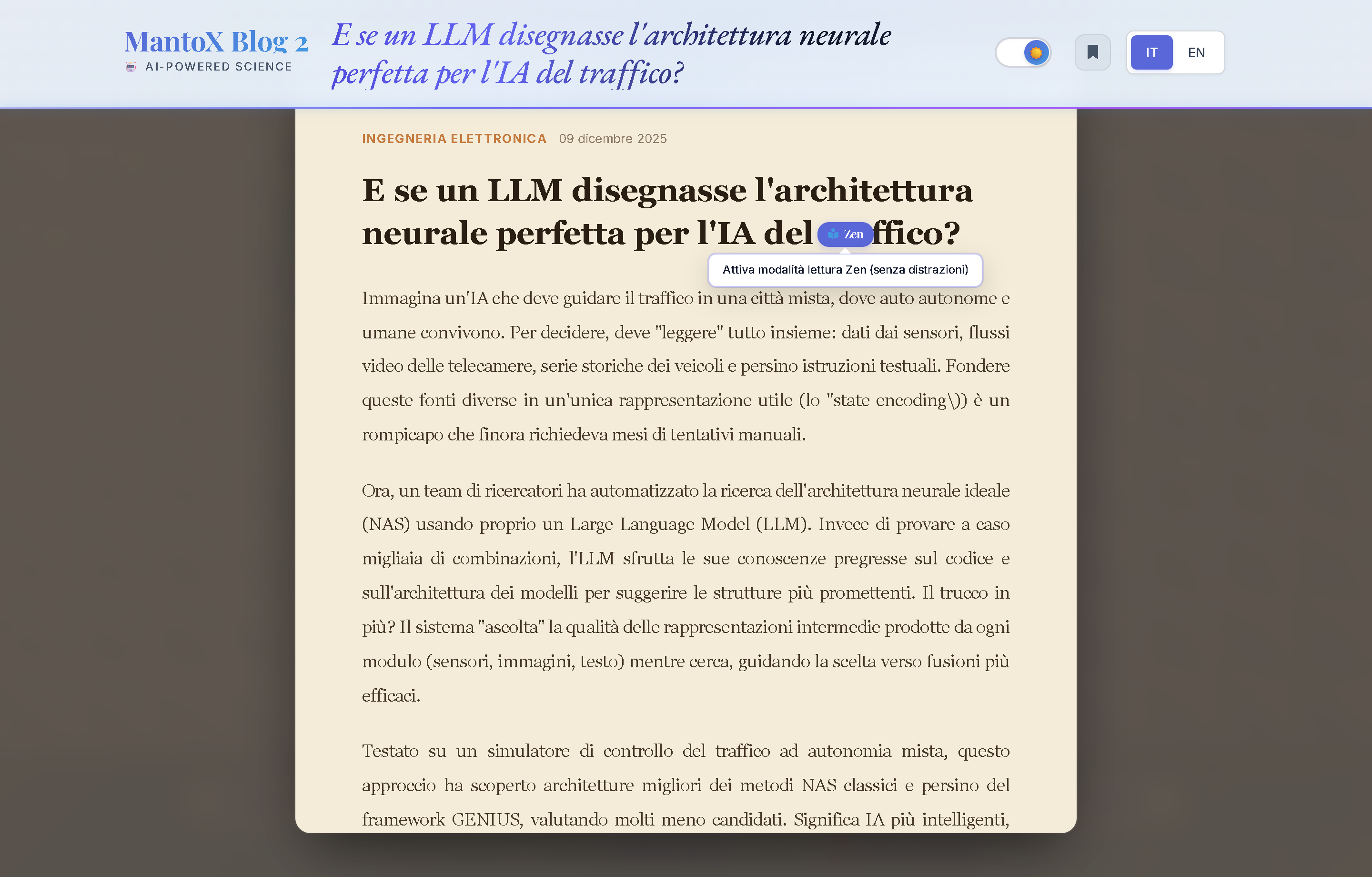
Controls & Buttons Map
①[ 📖 Zen Mode ]Toggle Button: Engages fullscreen reading canvas, hiding header, footer and sidebars.②☀️ Day / 📜 Sepia / 🌙 OLEDSelectors: Switches canvas paper styles instantaneously.③Font Scaler Controls (A-/A+): Dynamically scales typography and persists preferences.④[ ✕ Exit ]Button: Dismisses Zen mode (also bound to physicalESCkeyboard key).
Architecture Deep-Dive: See Project ➔ Universal Accessibility for WCAG 2.1 AA benchmarks.
Local Bookmarks Drawer ("Save for later")
Portal Location: Header & Sliding Lateral Drawer
Functional Purpose: Privacy-first bookmark storage: data is saved strictly in browser localStorage without user accounts, tracking or cookies sent to server.
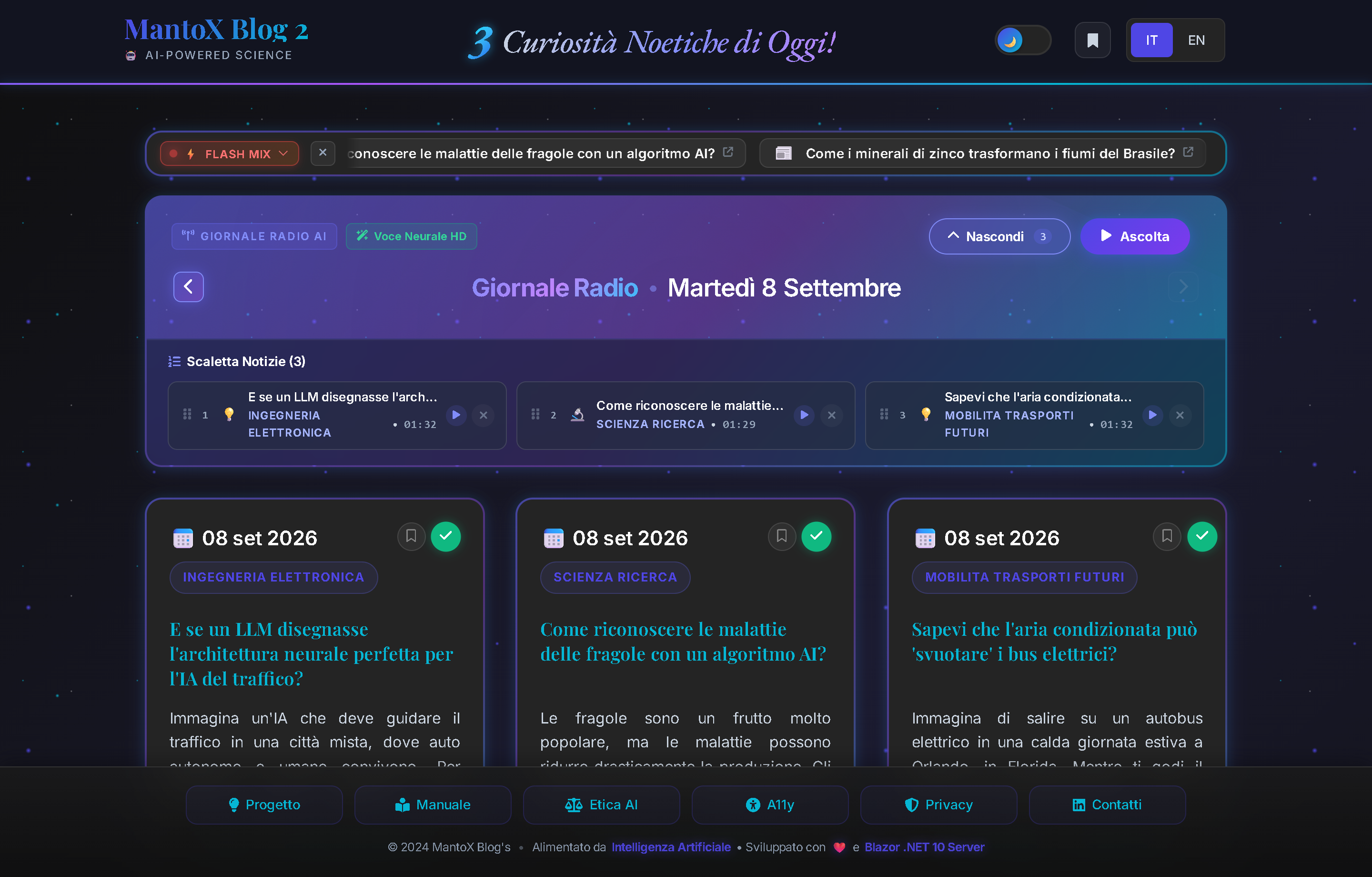
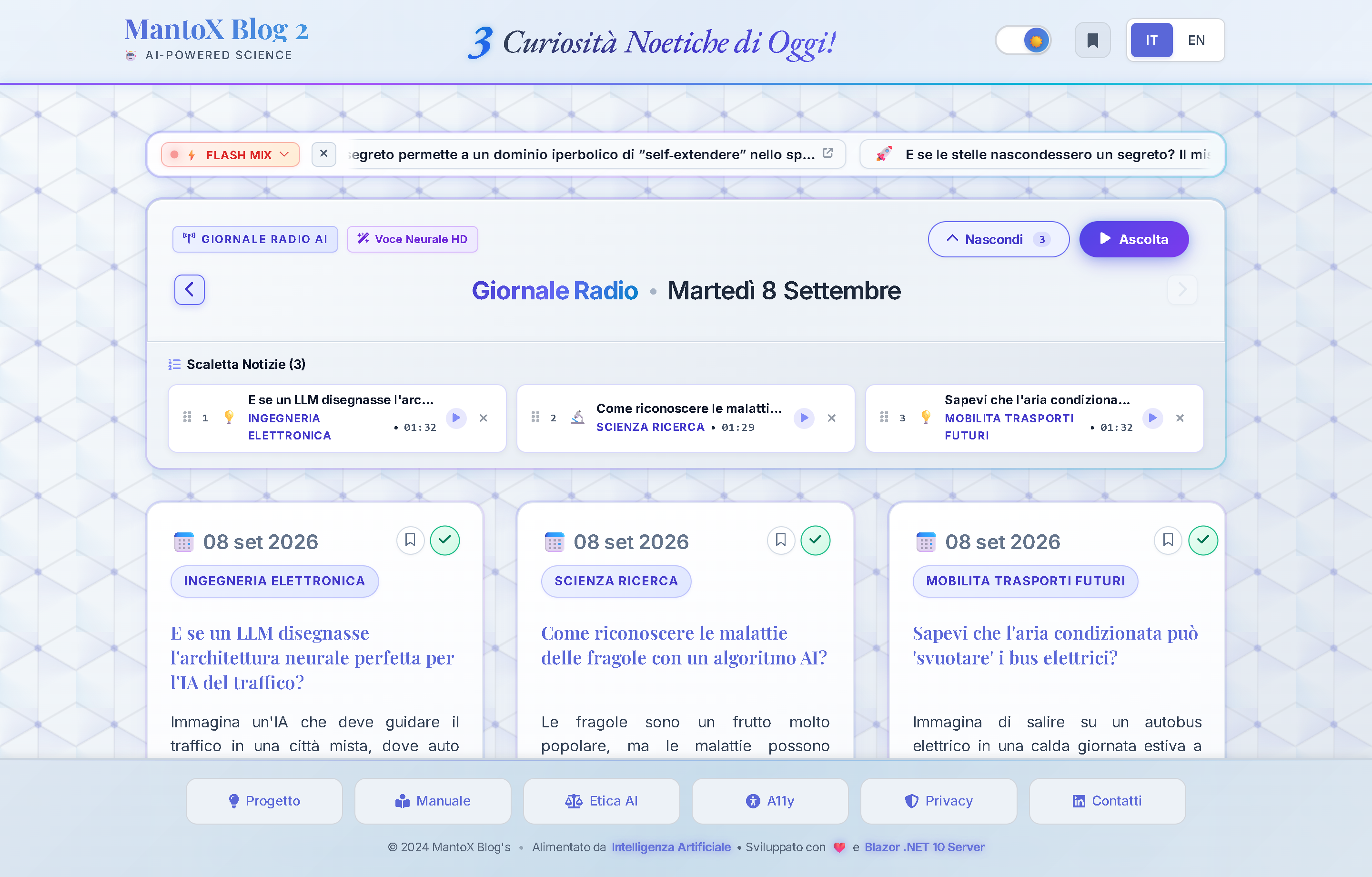
Controls & Buttons Map
①Header Bookmark Icon: Displays live saved count (e.g.,🔖 (3)); clicking opens slide-in drawer.②Saved News List: Compact cards with title, category badge and date; clicking navigates directly to article.③Delete Single Bookmark (fa-trash-can): Instantly removes article from local storage.④[ 🎙️ Add all to Radio Playlist ]Button: Bulk loads all saved bookmarks into MantoX Radio player (see Chapter 02 MantoX Radio).⑤[ Clear All ]Button: Empties all saved bookmarks after a quick confirmation.
Reserved Access & OTP Security
Portal Location: Login Page (/login)
Functional Purpose: Guards all administrative dashboards (Review, Scheduler, SQL Console, Config, Files, Resources) eliminating credential theft risks via single-use timed OTP tokens.
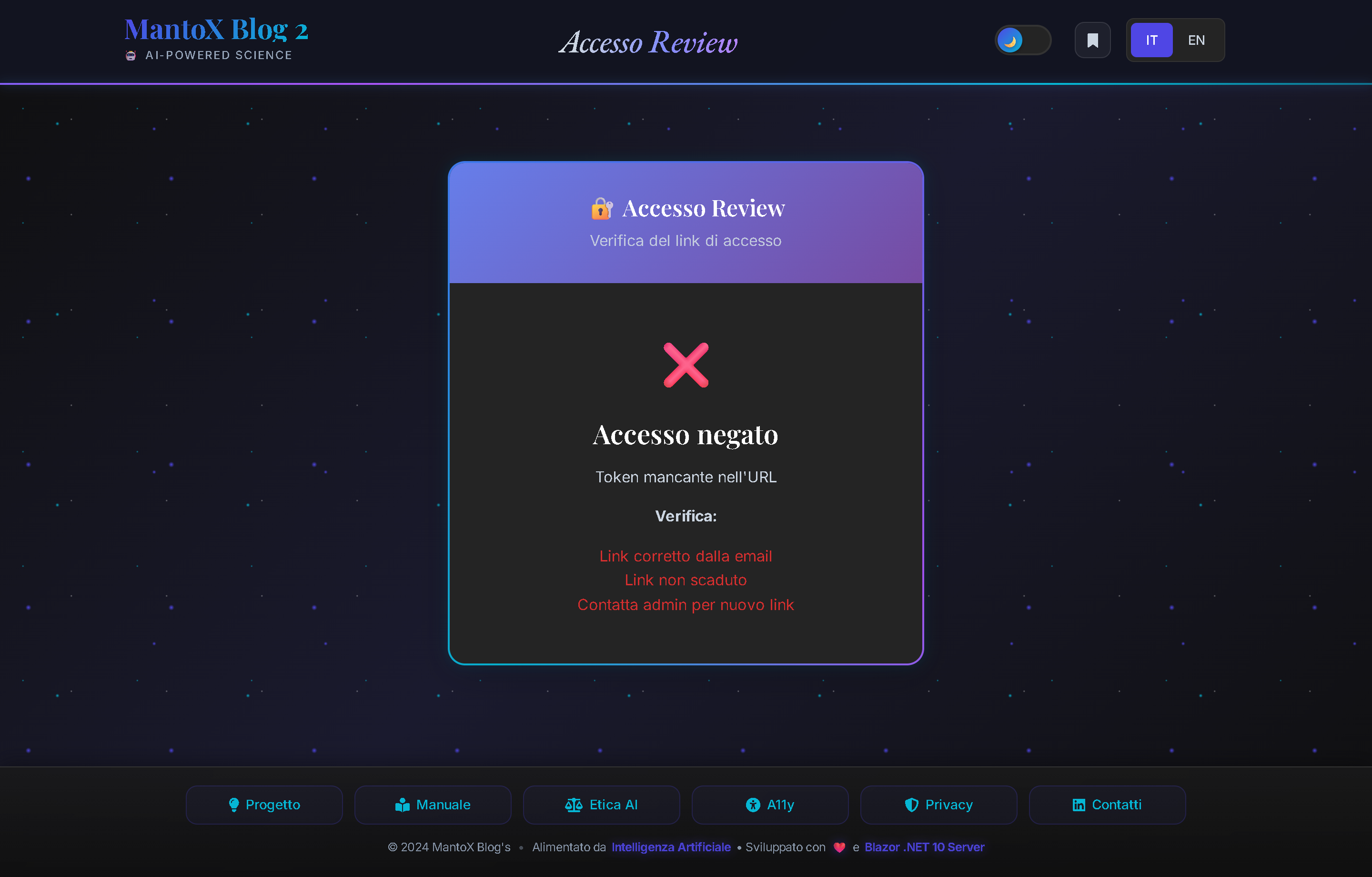
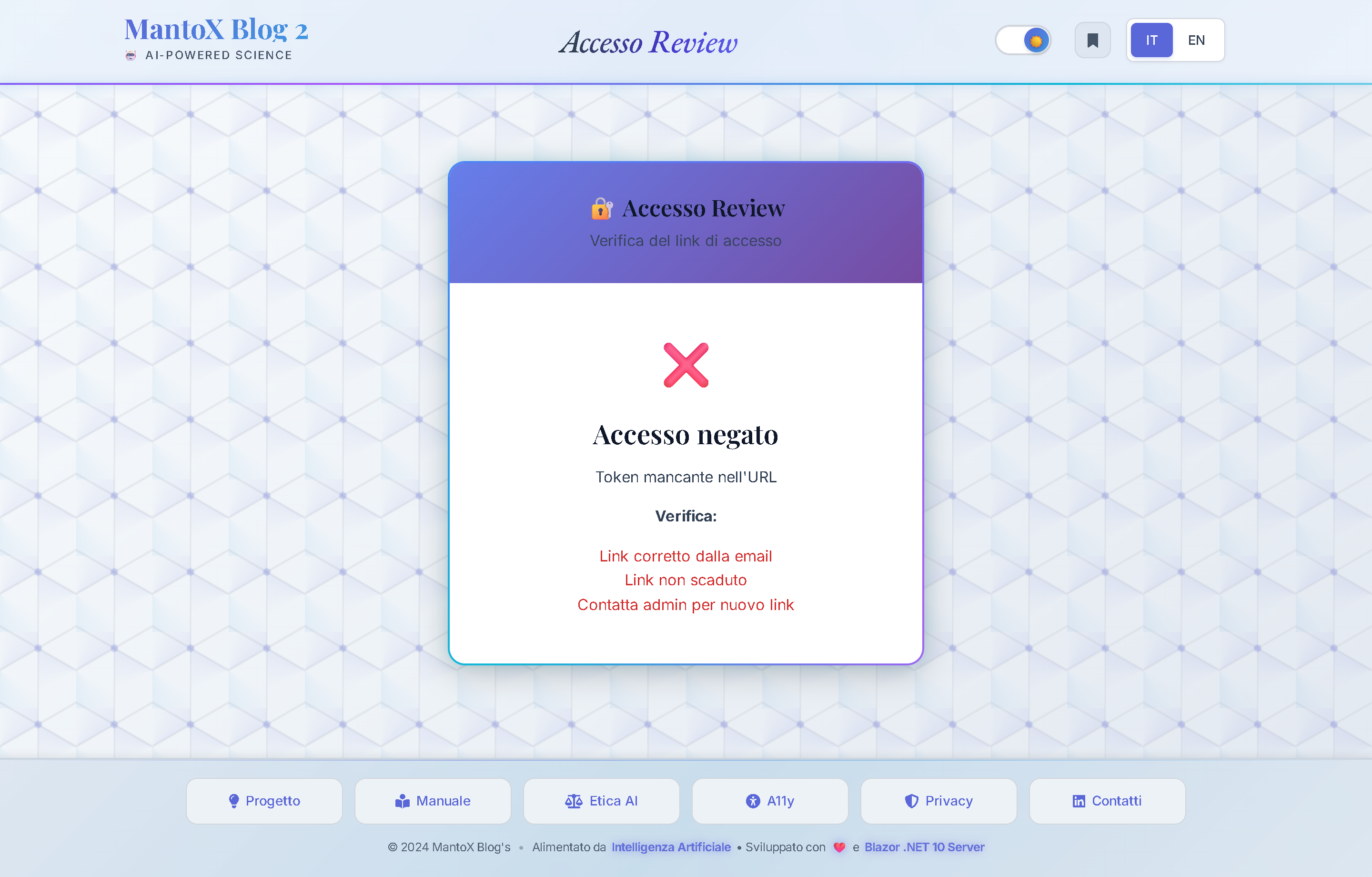
Controls & Buttons Map
①OTP Input Field: Secure box to enter single-use timed token.②[ Sign In ]Button: Cryptographically validates token and establishes secure server-side session.③Logout Button (fa-right-from-bracket): Present in all admin headers; terminates session and redirects to Home.
Configuration & Parameter Domain
| Parameter & Values | Description & Operational Impact |
|---|---|
|
scadenzaMinuti
|
OTP token validity period before auto-expiration. |
Dashboard "Article Review & Approval"
Portal Location: Review Dashboard (/review)
Functional Purpose: The Human-in-the-loop editorial control center. Allows editors to inspect bilingual AI drafts, approve them for publication, apply in-place corrections or regenerate them.
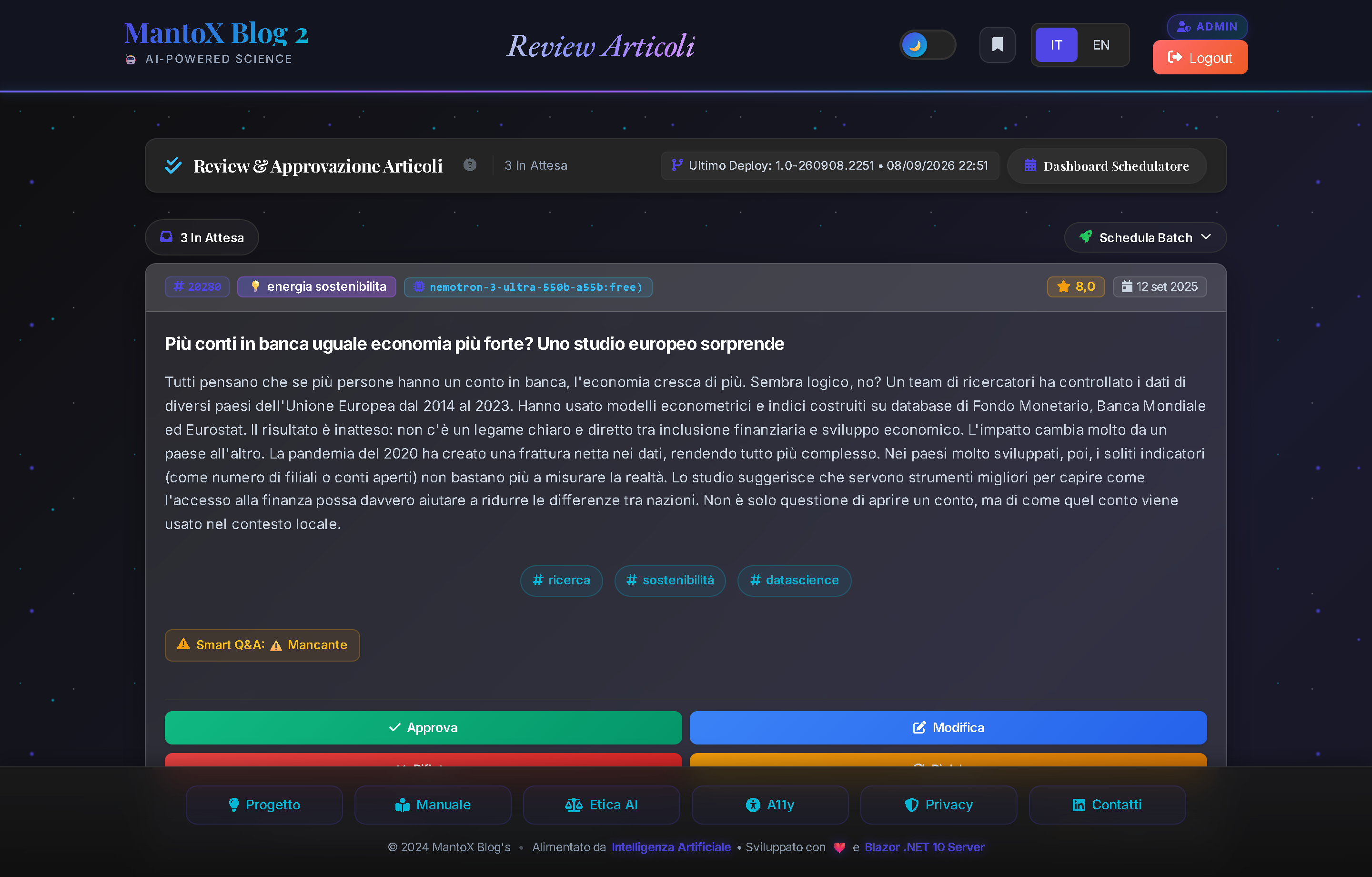
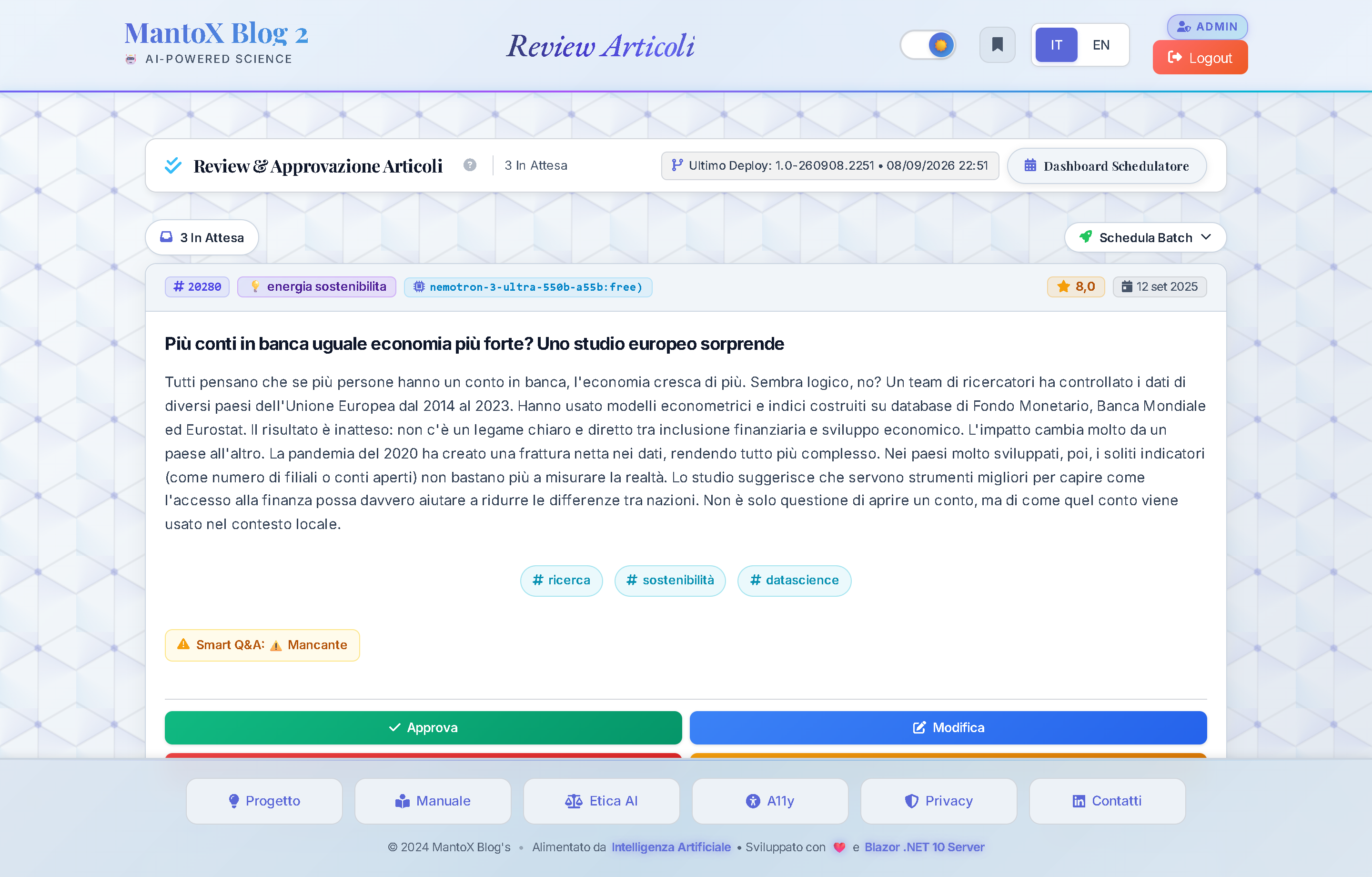
Controls & Buttons Map
①Deploy Version Badge: Displays timestamp of currently running server build.②Context Help Icon ((i)): Opens this manual chapter in a new browser tab.③[ Scheduler Dashboard ]Button: Quick jump to Quartz engine console (Chapter 11 Scheduler).④⭐ Average Rating: X.XKPI Pill: Real-time average quality score given by AI to pending drafts.⑤[ 🚀 Batch Scheduling & Publishing ]Button: Expands scheduler panel to assign approved news into daily publication slots (Morning 08:00, Afternoon 13:30, Evening 19:30).⑥[ ✅ Approve ]Button (on Card): Sets status toApproved, ready for timed release.⑦[ ❌ Reject ]Button (on Card): Rejects article (Rejectedstatus) permanently discarding it.⑧[ ✏️ Edit ]Button (on Card): Opens in-place quick editing modal (👉 Read Chapter 09 QuickEditModal).⑨[ 🔄 Reprocess ]Button (on Card): Opens AI model regeneration modal (👉 Read Chapter 10 ReprocessModal).
Configuration & Parameter Domain
| Parameter & Values | Description & Operational Impact |
|---|---|
|
RatingMin
|
Quality threshold: drafts scoring below this are discarded immediately. |
|
MaxArticles
|
Max AI drafts generated per cycle. |
|
MinLength
|
Minimum character length of source feed. |
Architecture Deep-Dive: See Project ➔ Human-in-the-Loop for editorial governance model.
Popup Quick Edit (QuickEditModal)
Portal Location: Modal Window on /review (Click ✏️ Edit)
Functional Purpose: Enables direct real-time editing of any article field (Italian or English) directly to database with zero latency and no LLM calls.
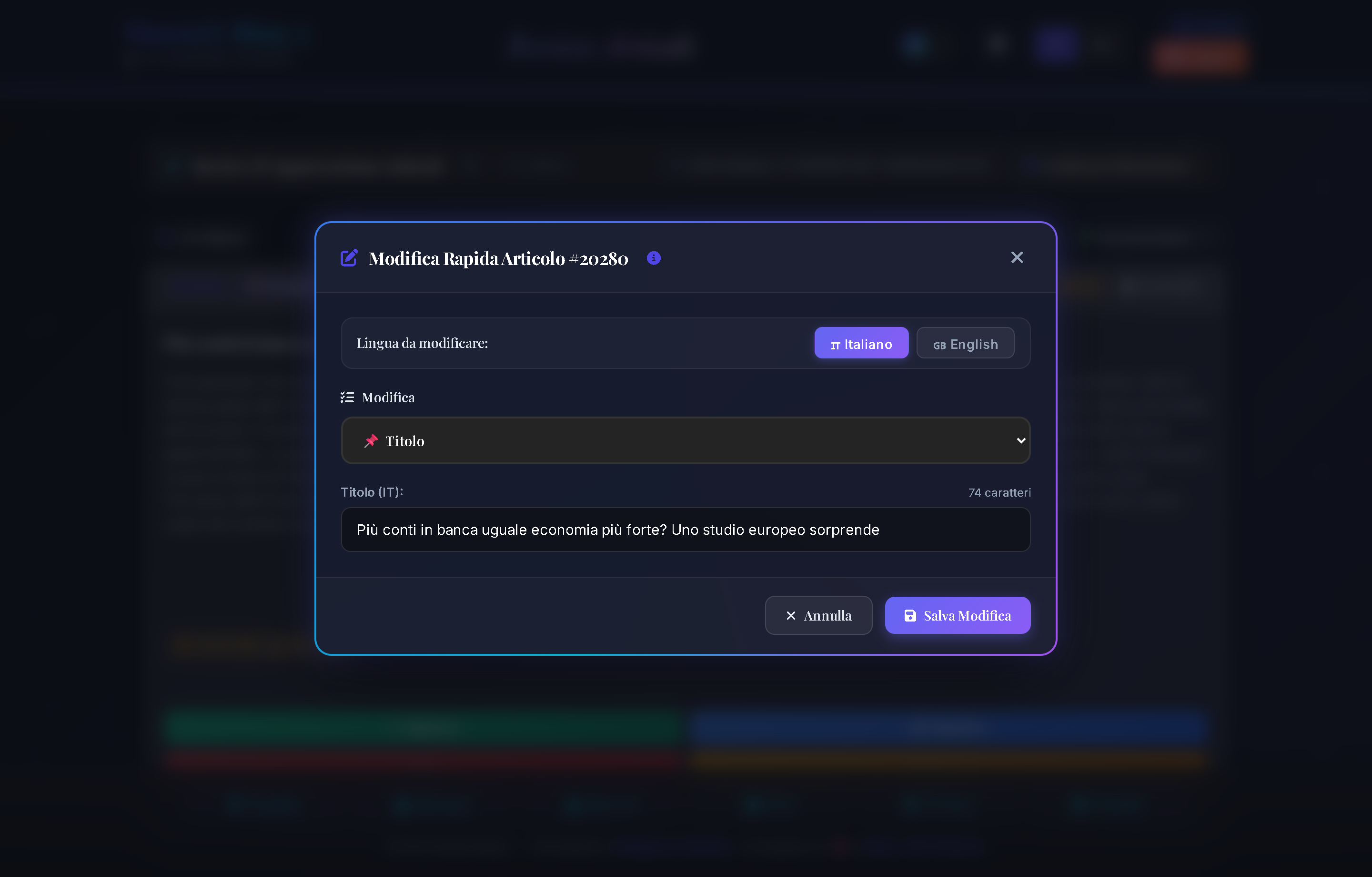
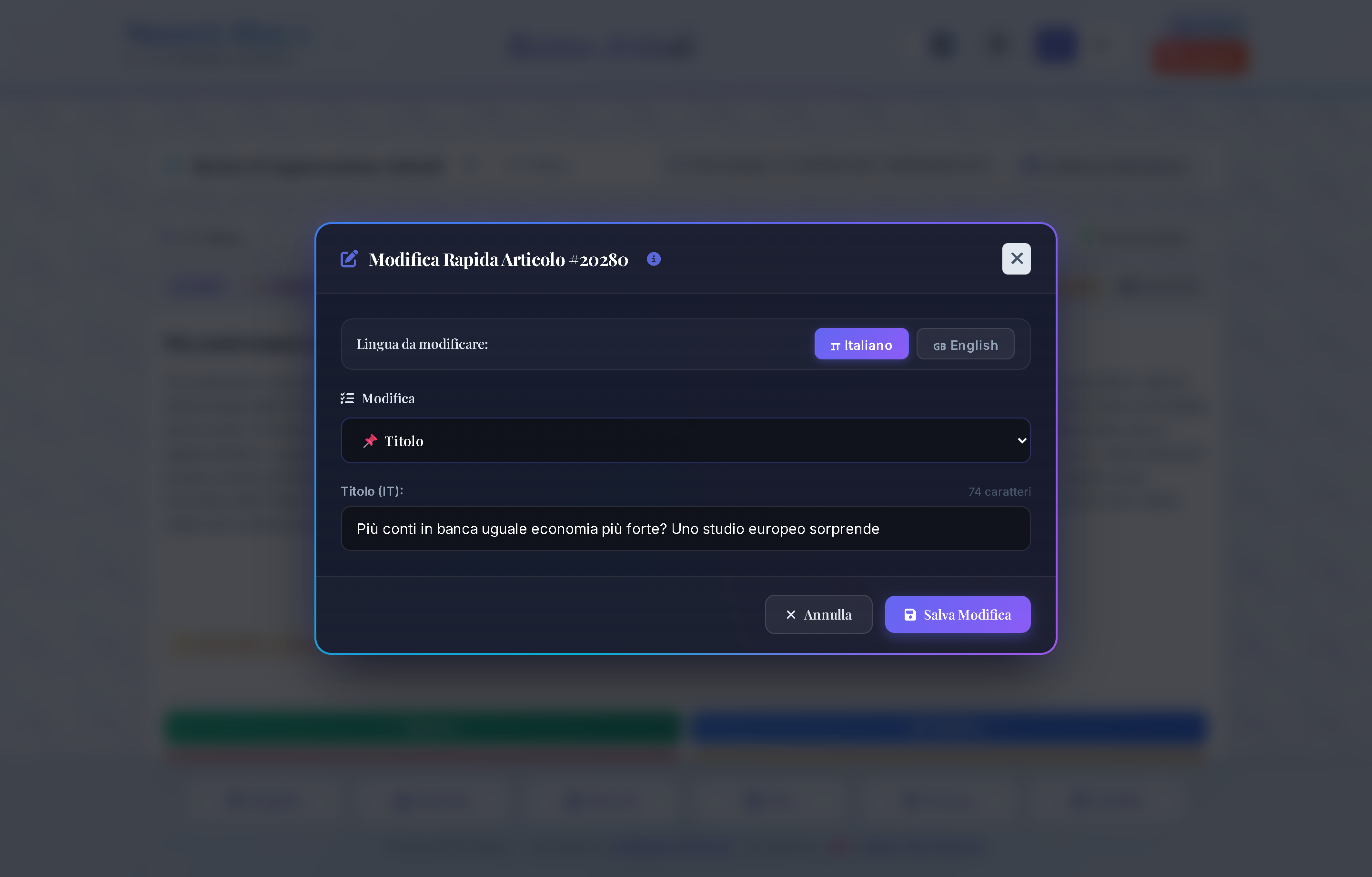
Controls & Buttons Map
①Language Switch Tabs ([ 🇮🇹 Italian ]/[ 🇬🇧 English ]): Instantly switches between localized Italian and English fields.②"Field to Edit" Dropdown:📌 Article Title:Edits headline displayed across cards and article pages.📖 Main Content:Modifies popular science article body.🧠 Expert Insight (Bonus):Modifies specialist technical analysis.🏷️ Category & Hashtags:Modifies category and#hashtaglist.👶 Smart Q&A: Explain Simply:Edits simplified explanation (see Chapter 04).⚖️ Smart Q&A: Pros and Cons:Edits critical balanced analysis.🔭 Smart Q&A: What Lies Ahead:Edits 5-year outlook.
③Dynamic Input Field / Textarea: Automatically pre-fills with current database value.④[ Cancel ]Button: Closes modal without saving changes.⑤[ 💾 Save Changes ]Button: Writes update to database and updates underlying card with green confirmation feedback.
🔙 Return to Control Room: Back to Review Dashboard (Chapter 08).
Popup AI Reprocess (ReprocessModal)
Portal Location: Modal Window on /review (Click 🔄 Reprocess)
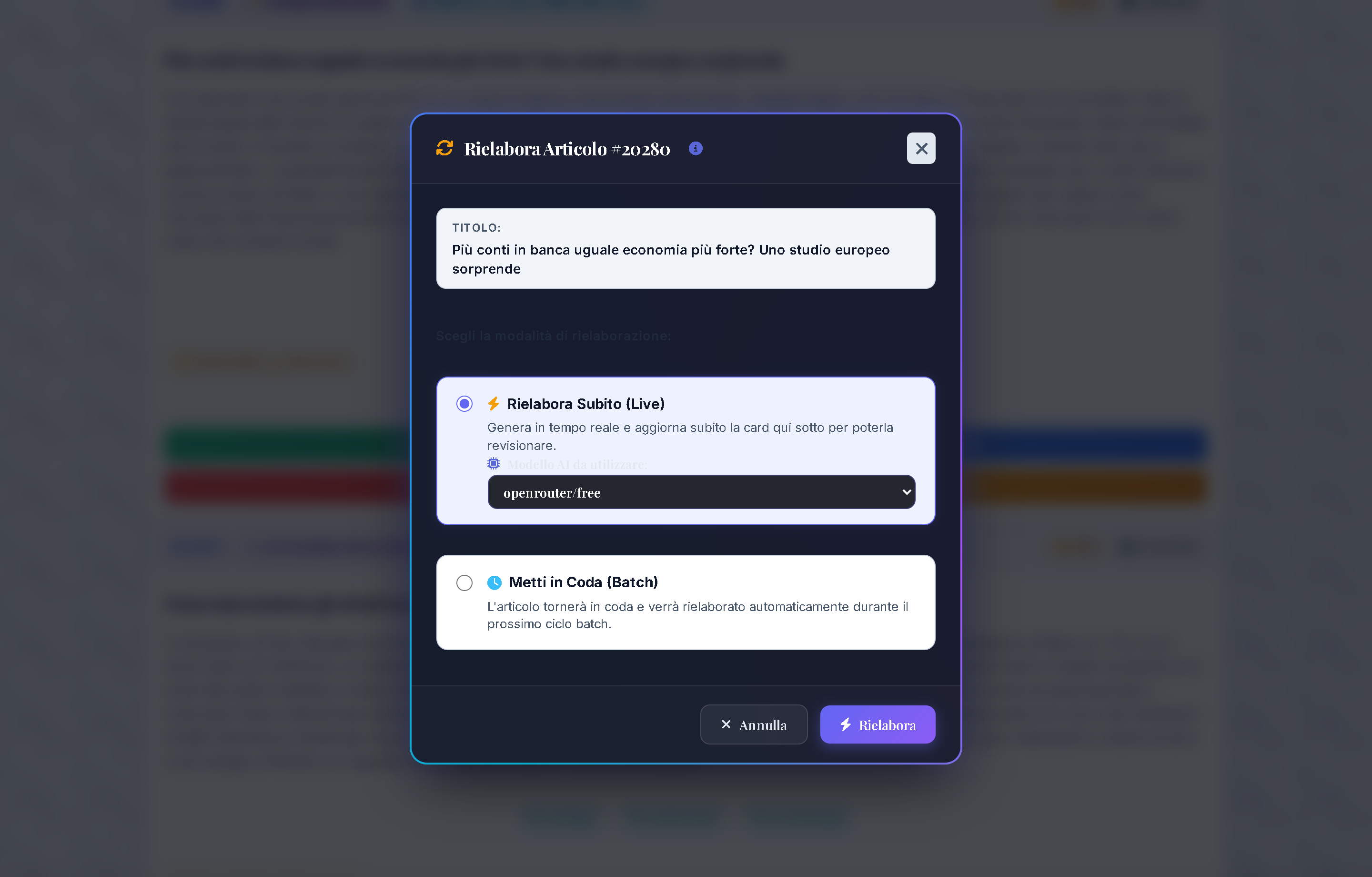
Functional Purpose: Allows regenerating an article from original RSS source, testing alternate LLM models live or returning it to the batch queue.
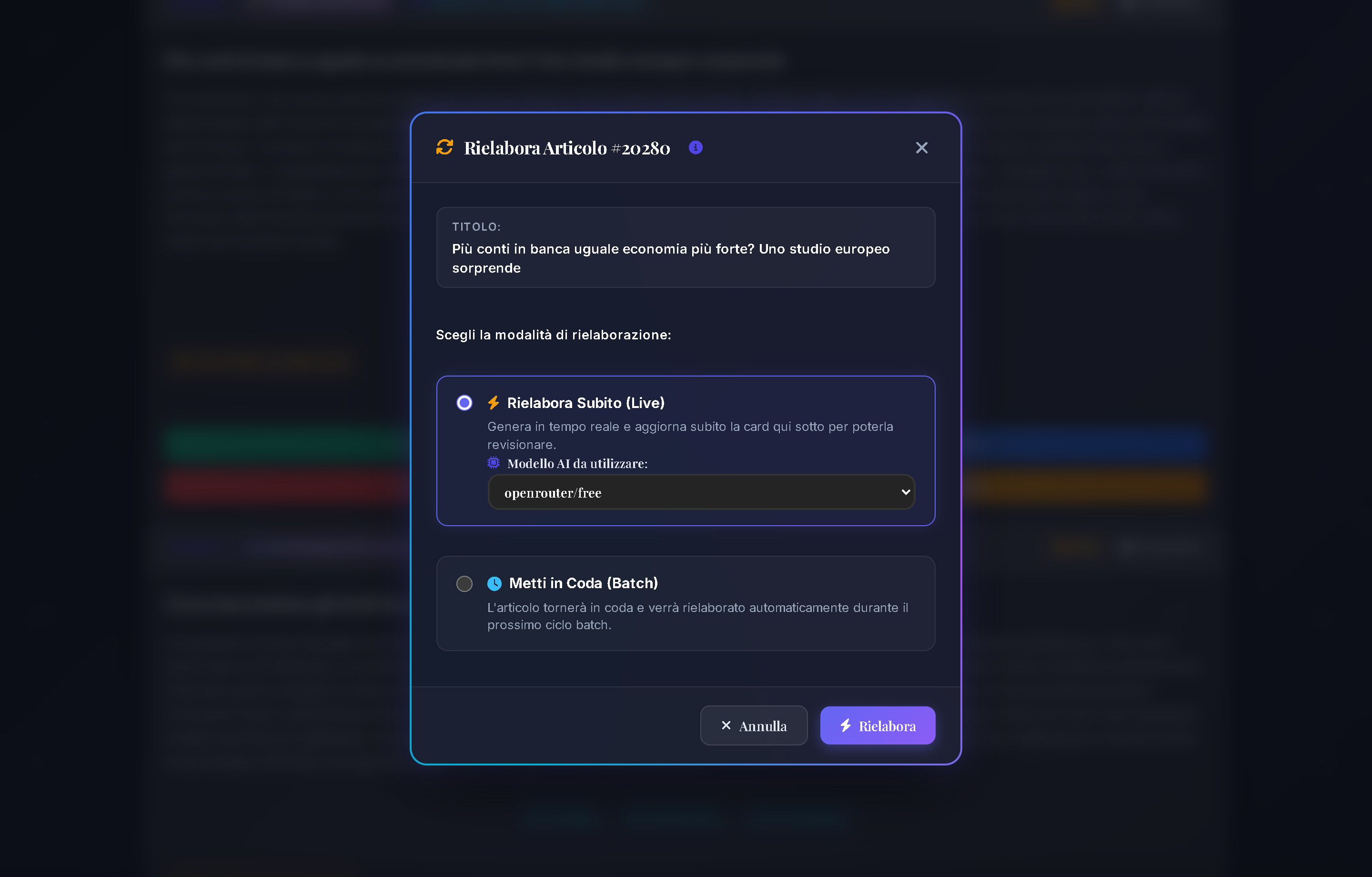
Controls & Buttons Map
①"Reprocess Now (Live)" Radio: Executes synchronous LLM call in real-time during your session.②"Target AI Model" Dropdown: Selects specific LLM model (e.g.,google/gemma-2,meta-llama/llama-3,openrouter/free).③"Enqueue (Batch)" Radio: Resets status to raw for processing in next scheduled batch (Chapter 11 Scheduler).④[ ⚡ Reprocess ]Button: Triggers execution with animated spinner and live UI update.
🔙 Return to Control Room: Back to Review Dashboard (Chapter 08).
Dashboard "Batch Scheduler, RAM & Pipeline"
Portal Location: Scheduler Dashboard (/Sched)
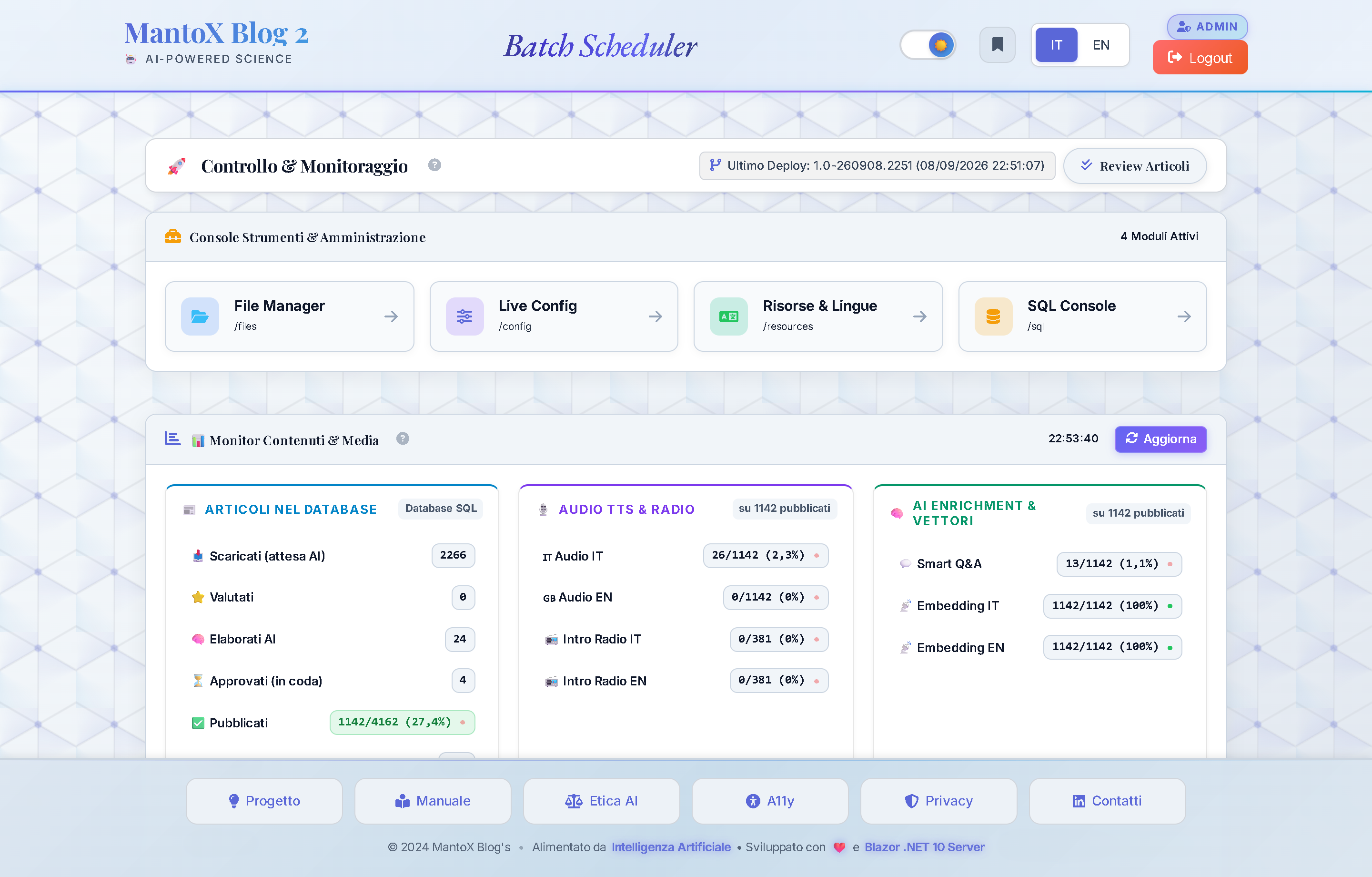
Functional Purpose: System powerhouse: orchestrates persistent Quartz.NET jobs, allows manual overrides with custom flags, monitors content health and inspects .NET RAM memory footprint.
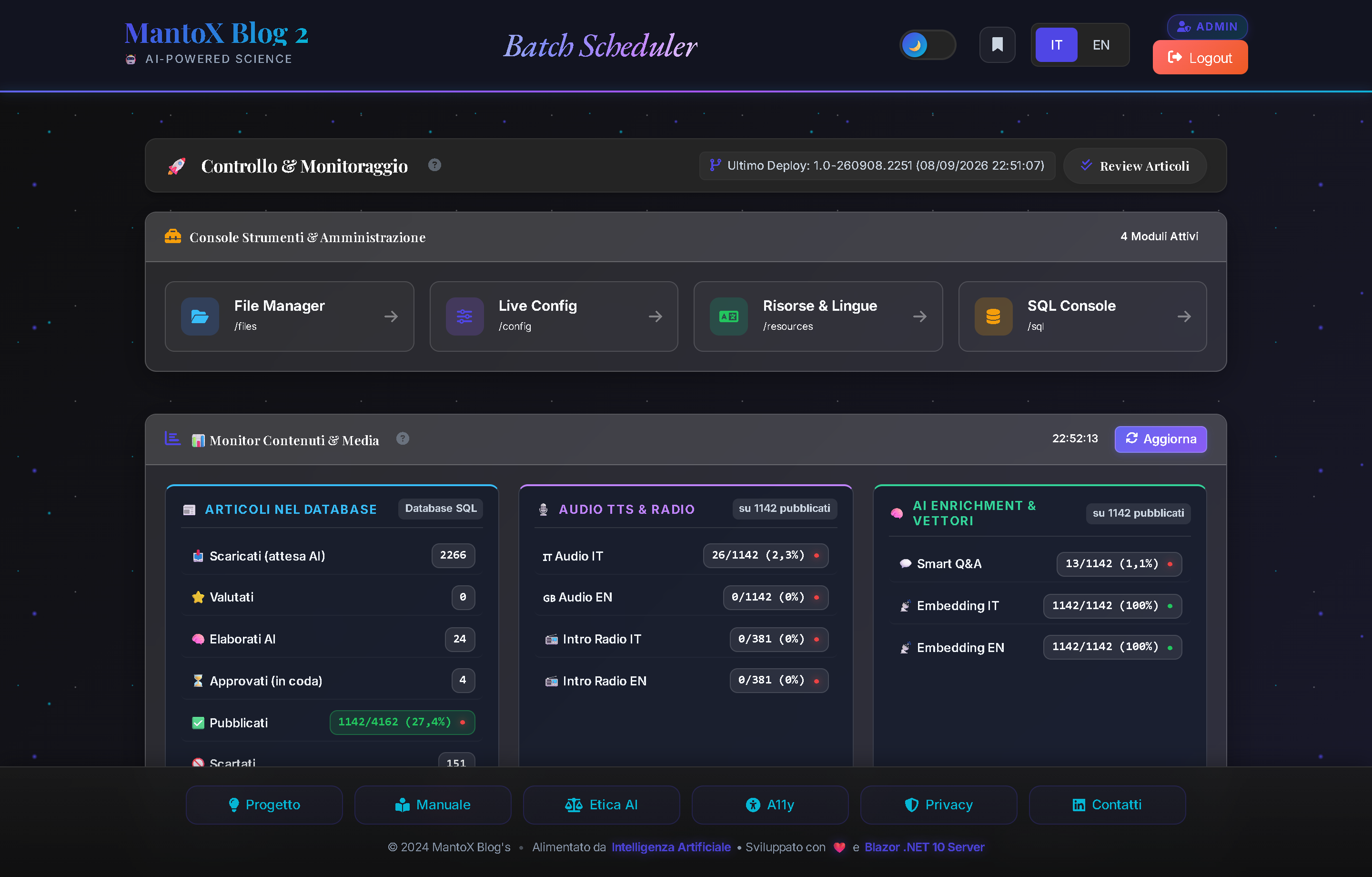
Controls & Buttons Map
①Tool Hub Modules (4 Large Buttons): Direct access to system tools:📁 File Manager:Filesystem & Storage Explorer (Chapter 13).🎛️ Live Config:Zero-downtime runtime parameter overrides (Chapter 14).🌐 Resources & RESX:Bilingual UI text manager (Chapter 15).💾 SQL Console:15 diagnostic presets & query console (Chapter 12).
②Content Monitor ([ Refresh ]Button): Live counts of DB Articles, TTS Audio, and AI Enrichment.③[ 🧹 Force Garbage Collection ]Button: Manually triggers .NET GC and compacts Large Object Heap (LOH) to release RAM after heavy embeddings generation.④[ Refresh RAM Metrics ]Button: Reloads App WorkingSet and Server RAM load percentage.⑤[ ⚡ Run Now ]Button (on Quartz Job): Triggers immediate batch execution without waiting for cron schedule.⑥Override Execution Flags Box: Input field to supply custom flag strings (e.g.,news,tts) for granular execution.
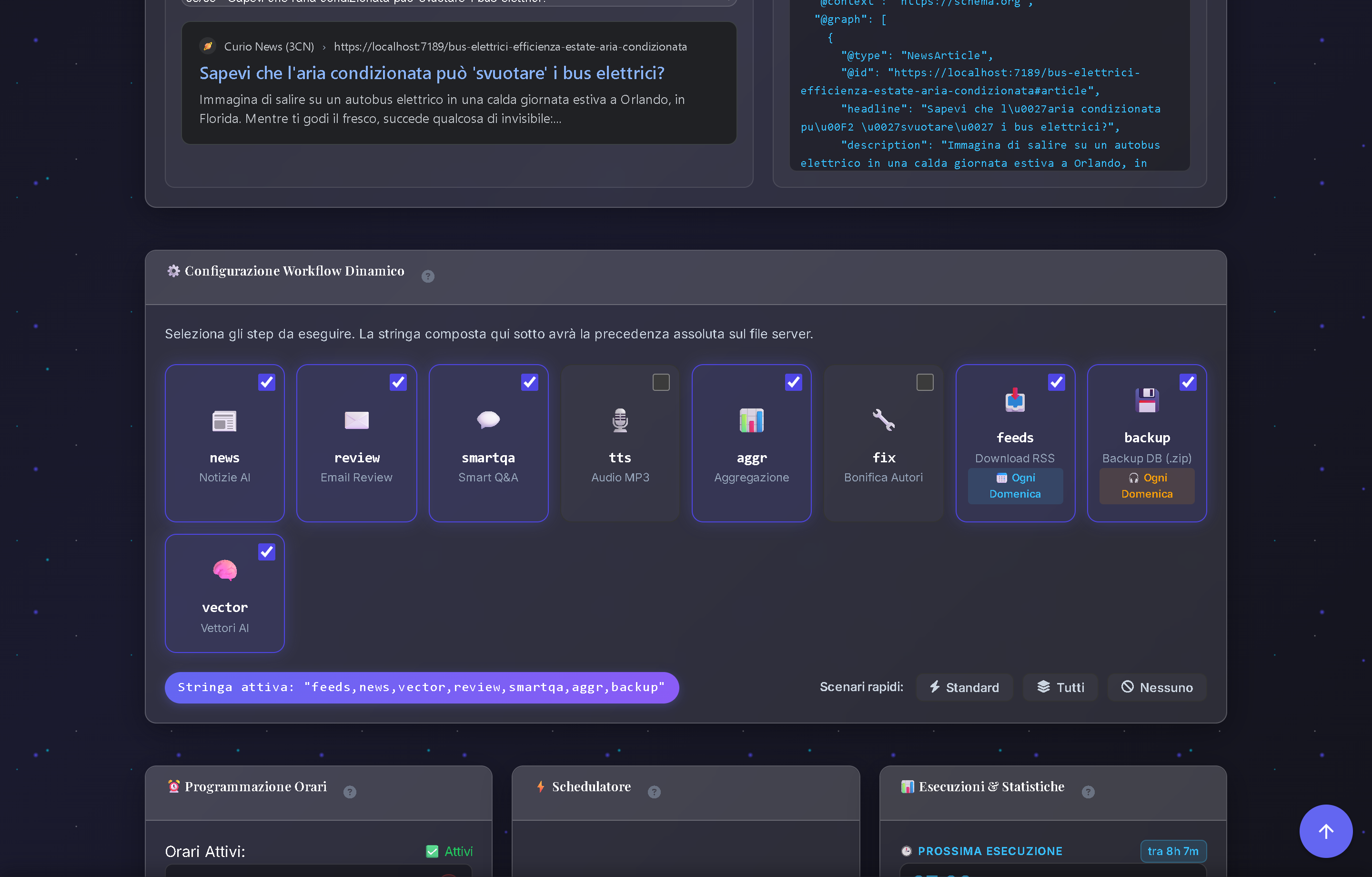
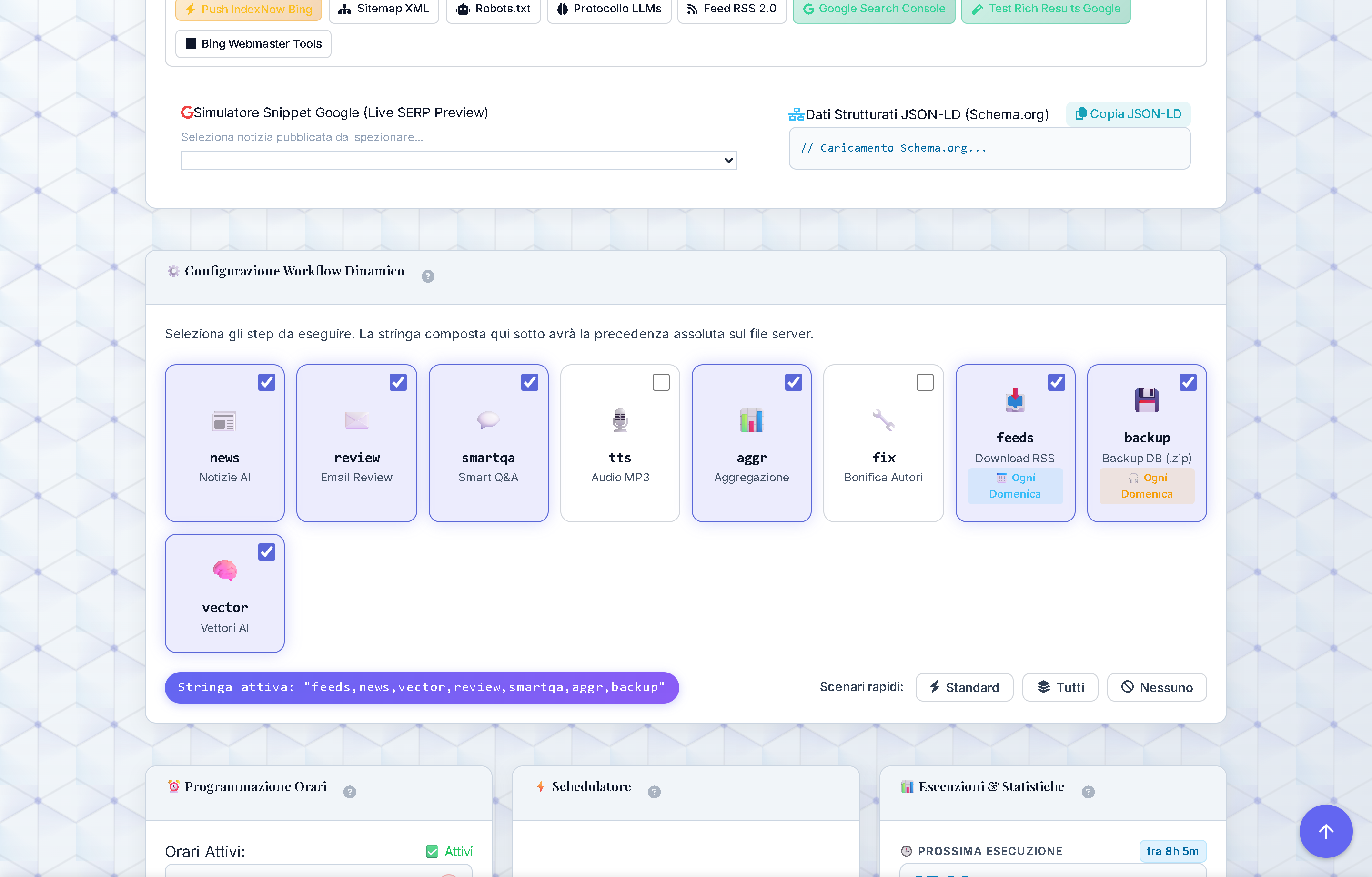
Pipeline Execution Flags (Elab String)
| Flag | Step Name | Detailed Operation | Related Keys |
|---|---|---|---|
feeds | RSS Ingestion | Fetches feeds (auto on 1st of month or manual). | LogFeedsPath |
news | AI Generation | LLM synthesis, rating scoring and expert insights. | MaxArticles, RatingMin |
vector | AI Vectorization | Computes ONNX 384-dim dense embeddings. | SearchConfig:SemanticSearch |
aggr | Trend Radar | Calculates weekly topic distribution percentages. | PopularTopicsLimit |
smartqa | Smart Q&A Flash | Generates 3 cognitive pills (Simple, Pros/Cons, Future). | MaxSmartQA |
tts | MP3 Audio | Synthesizes neural HD audio and Track 0 Radio Intro. | Tts:Azure:BackfillBatchSizeIT |
fix | DB Scrubbing | Relational integrity checks and orphan cleanup. | - |
backup | Compressed Backup | Creates compressed .zip archive of SQL database. | BackupConfig:DailyRetentionDays |
review | OTP Notification | Sends email with timed OTP token to editorial team. | Smtp:ToEmail |
🍳 Pipeline Flag Recipes for Real-World Scenarios
| Real-World Scenario | Override String | Practical Outcome |
|---|---|---|
| ⚡ Fast Article Generation | news,review | Generates 3 new articles and emails OTP to editors. |
| 🎙️ Recover Missing Audio Tracks | tts | Synthesizes MP3s and Radio Intro for pending news. |
| 🧠 Regenerate Semantic Vectors | vector,aggr | Recomputes ONNX embeddings and refreshes Trend Radar. |
| 💬 Enrich Smart Q&A Flash Cards | smartqa | Generates 3 interactive pills for archive news. |
| 💾 Maintenance & Backup Archive | fix,backup | Performs DB cleanup and generates compressed backup zip. |
| 📥 Force RSS Feed Download | feeds,news | Refetches latest feeds and creates fresh drafts. |
Architecture Deep-Dive: See Project ➔ Workflow & Batch Pipeline for Quartz engine mechanics.
SQL Server Inspector & Query Console (/sql)
Portal Location: Tool Hub ➔ SQL Console (/sql)
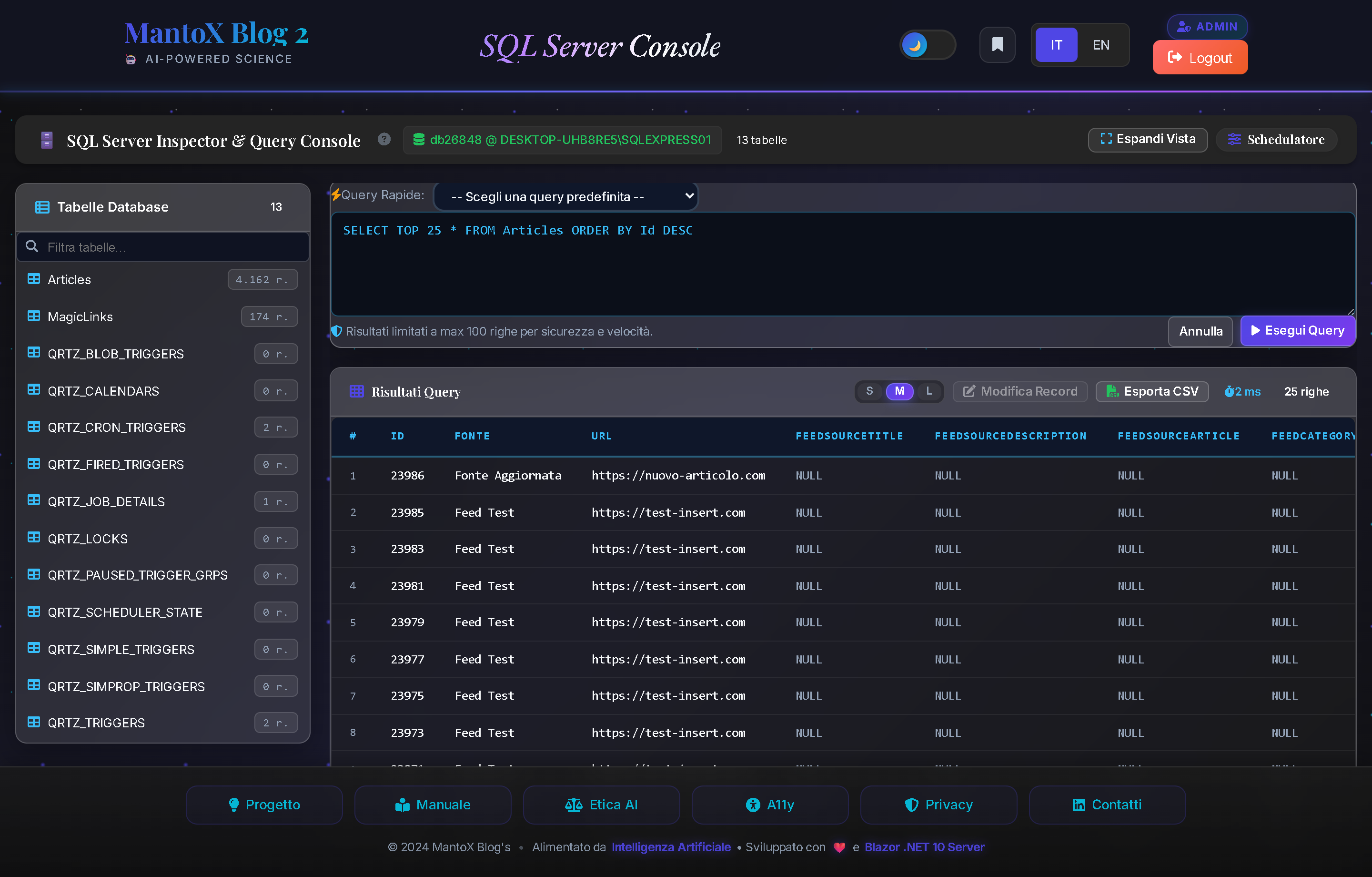
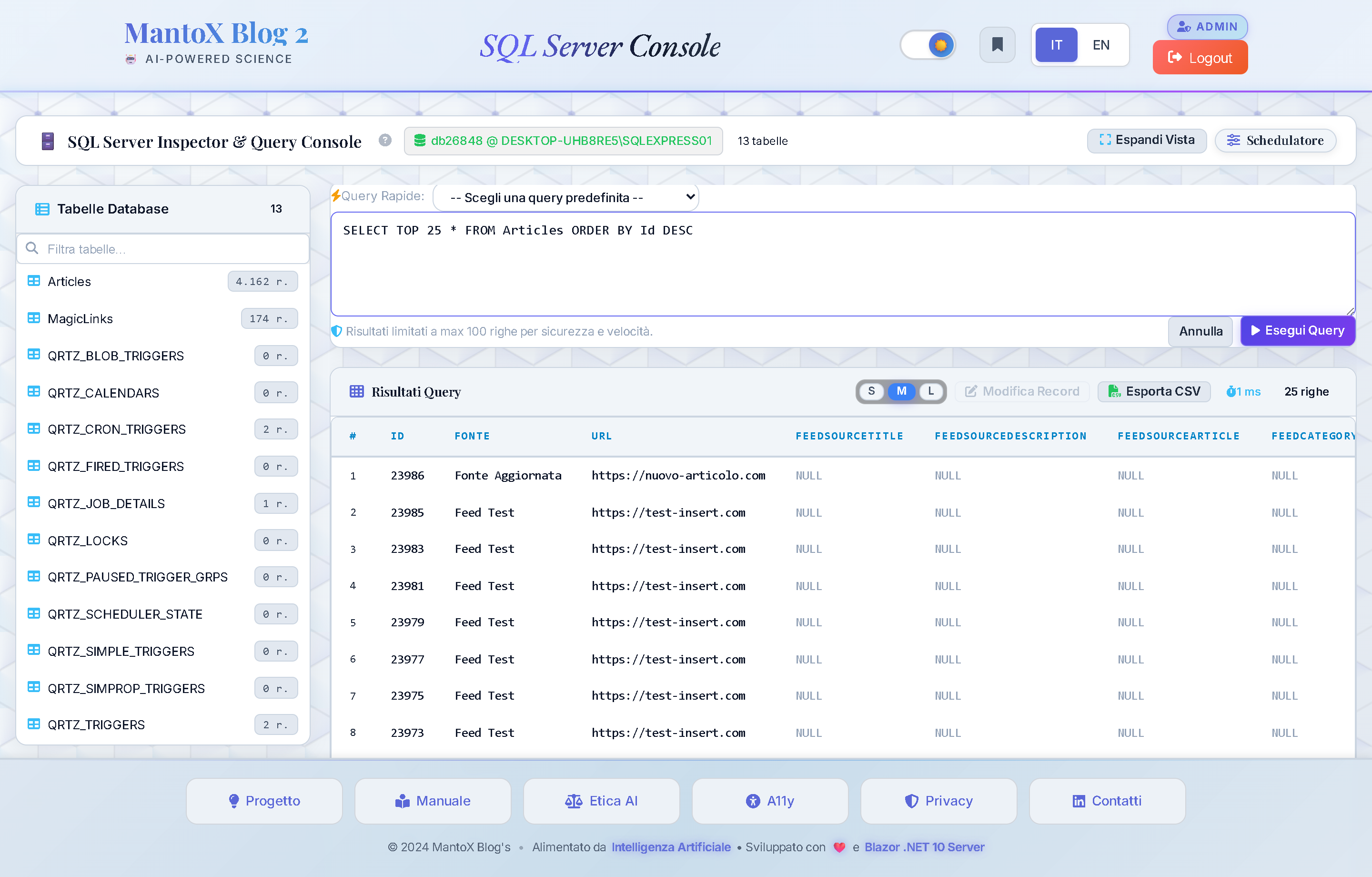
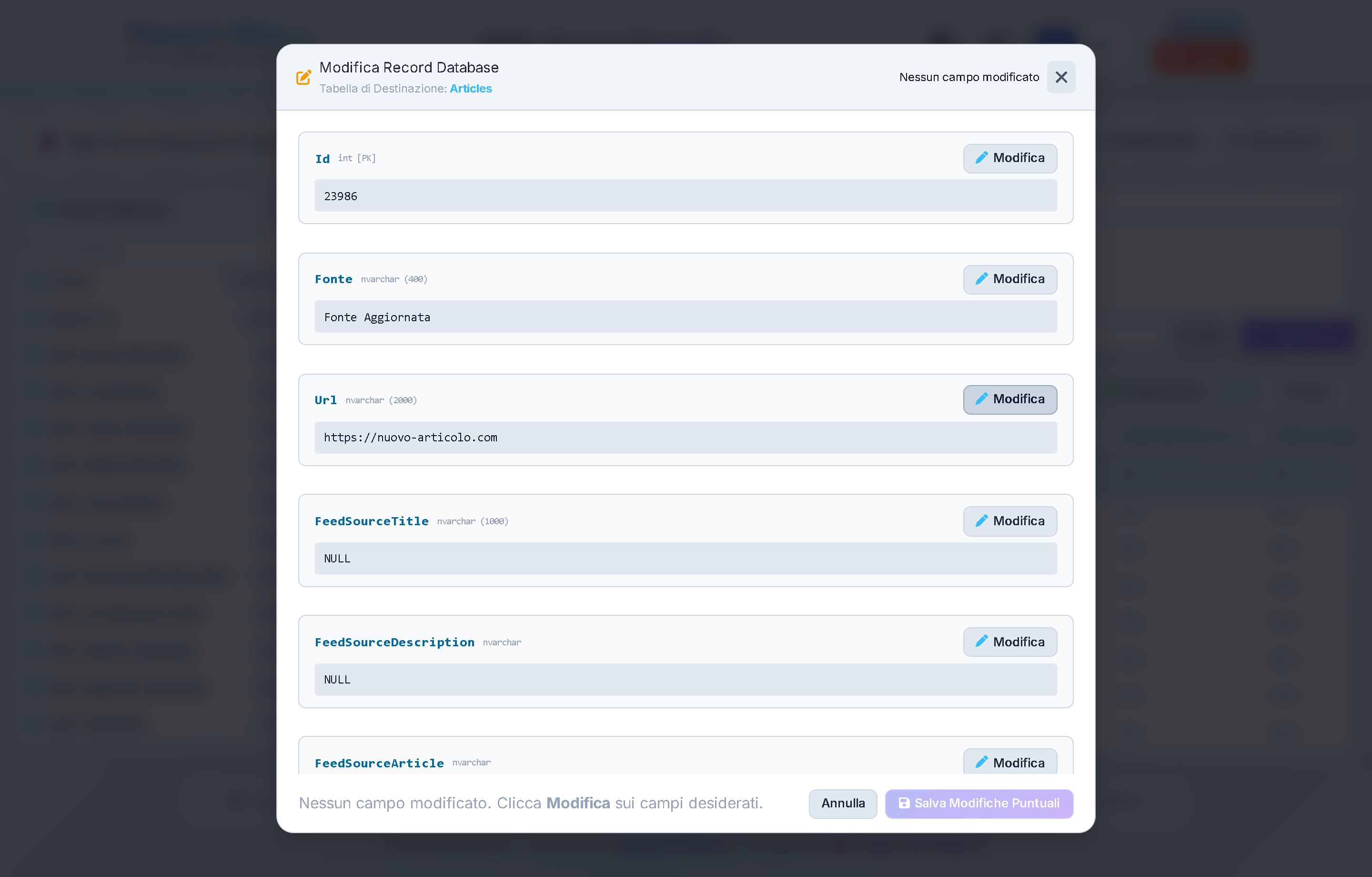
Functional Purpose: Professional administrative console to inspect SQL Server tables, review live row counts, execute ad-hoc T-SQL queries, modify records directly via a guided modal, and leverage 15 Specialized Diagnostic Presets covering Editorial Workflow, ONNX Vectors, and Quartz Batches.
Platform Highlights ("Chicche")
- 15 Diagnostic Presets: Pre-built queries categorized into Workflow & States (In Review, In Queue, Raw Feeds, Discarded, Errors), AI & Semantic Search (Missing Vectors, Missing Insights, Rating ≥ 8.5, LLM Models), and System & Quartz (Triggers, Row Counts).
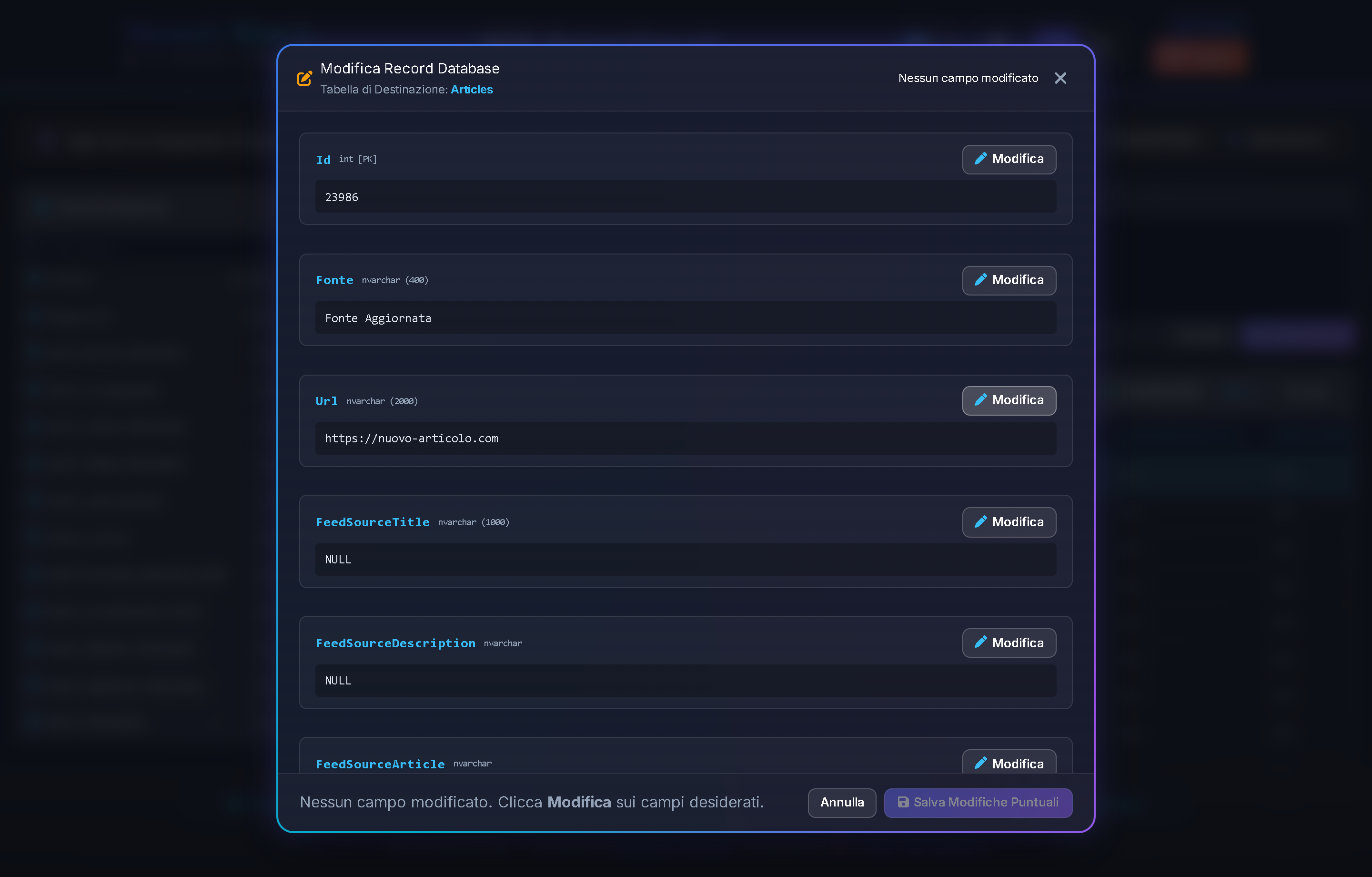
- In-Place Record Editor Modal: Selecting any row in the grid activates the
[ ✏️ Edit Record ]button, opening a modal to update field values with schema validation without writing manualUPDATEstatements. - Dynamic Typography Zoom (S / M / L): Switch grid density between Small (ultra-compact inspection), Medium (standard), and Large (presentation or accessibility).
- RFC 4180 CSV Export: Instant client-side generation of Excel-compatible CSV files with UTF-8 BOM, escaped separators and preserved timestamps.
Controls & Buttons Map
①Table Sidebar Toggle ([ Show Tables ]/[ Expand View ]): Collapses or restores the left table navigation tree to maximize query visualization space.②Left Panel "Database Tables": Displays all database tables with real-time row counts; clicking any table automatically generates aSELECT TOP 50 *query in the editor.③Filter Tables Field: Instant search input to filter tables and views in real-time.④"Quick Queries (15 Diagnostic Presets)" Dropdown: Instant execution of key queries across editorial, AI, and scheduler operational domains.⑤[ Execute Query ]Button: Runs SQL query with 100-row safety limit, displaying execution time (e.g. "⏱️ 12 ms").⑥Font Zoom Density Selector (S/M/L): Instantly adapts table typography size and padding.⑦[ ✏️ Edit Record ]Button: Opens the modal editor on the selected row (Fig. 12.2).⑧[ 📄 Export CSV ]Button: Downloads query results in RFC 4180 compliant CSV format.
Parameters & Configuration Domain
| Parameter & Values | Description & Operational Impact |
|---|---|
|
Sql:MaxResultRows
|
Safety limit on maximum rows returned per query to prevent memory spikes in the browser. |
|
Sql:CommandTimeoutSeconds
|
Maximum execution time before query cancellation, protecting SQL Server against long locks. |
Architecture Deep-Dive: See Project ➔ Chapter 9: Data Layer & Custom DbCore ORM for relational schema details.
File Manager & Storage Explorer (/files)
Portal Location: Tool Hub ➔ File Manager (/files)
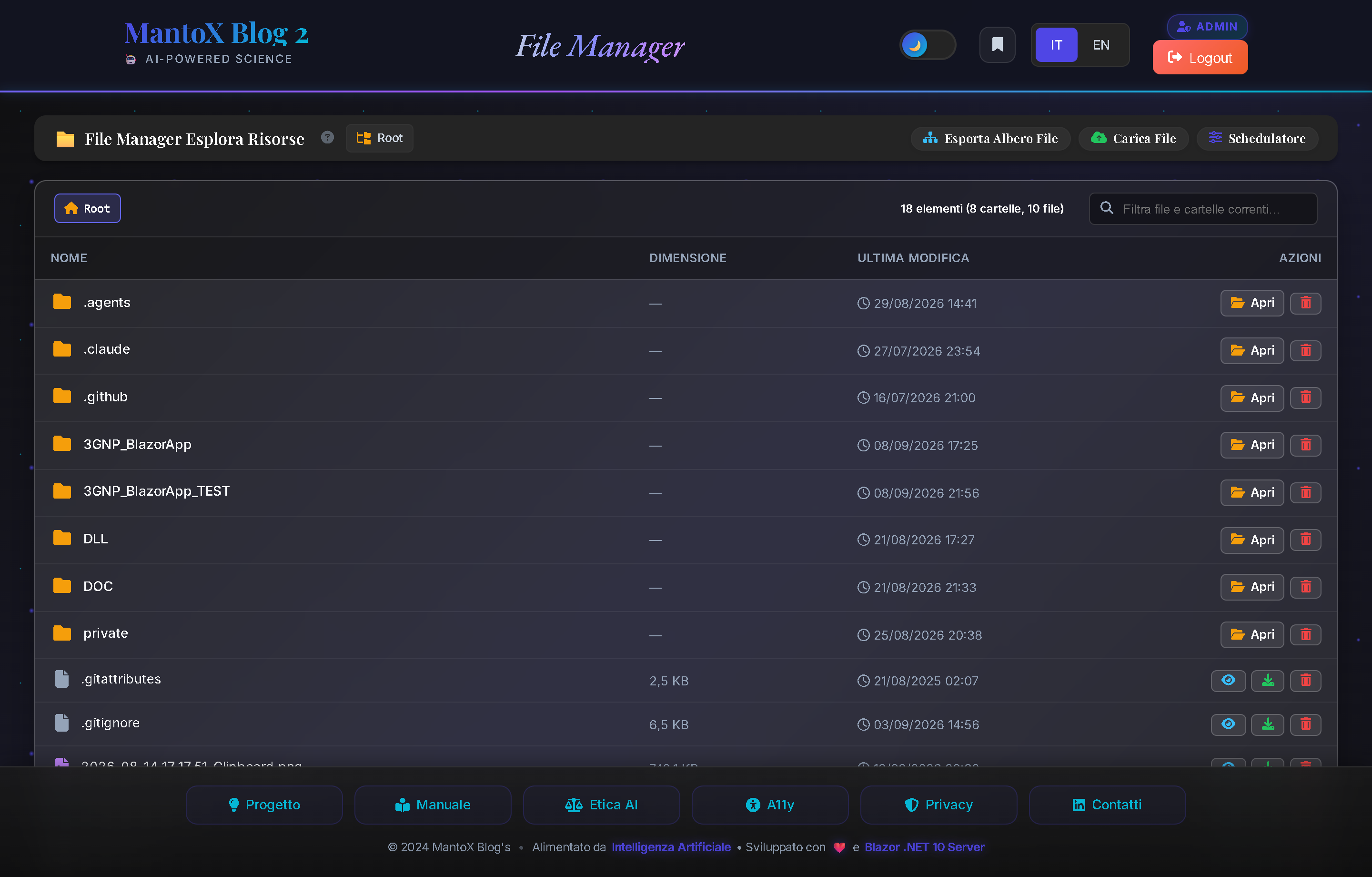
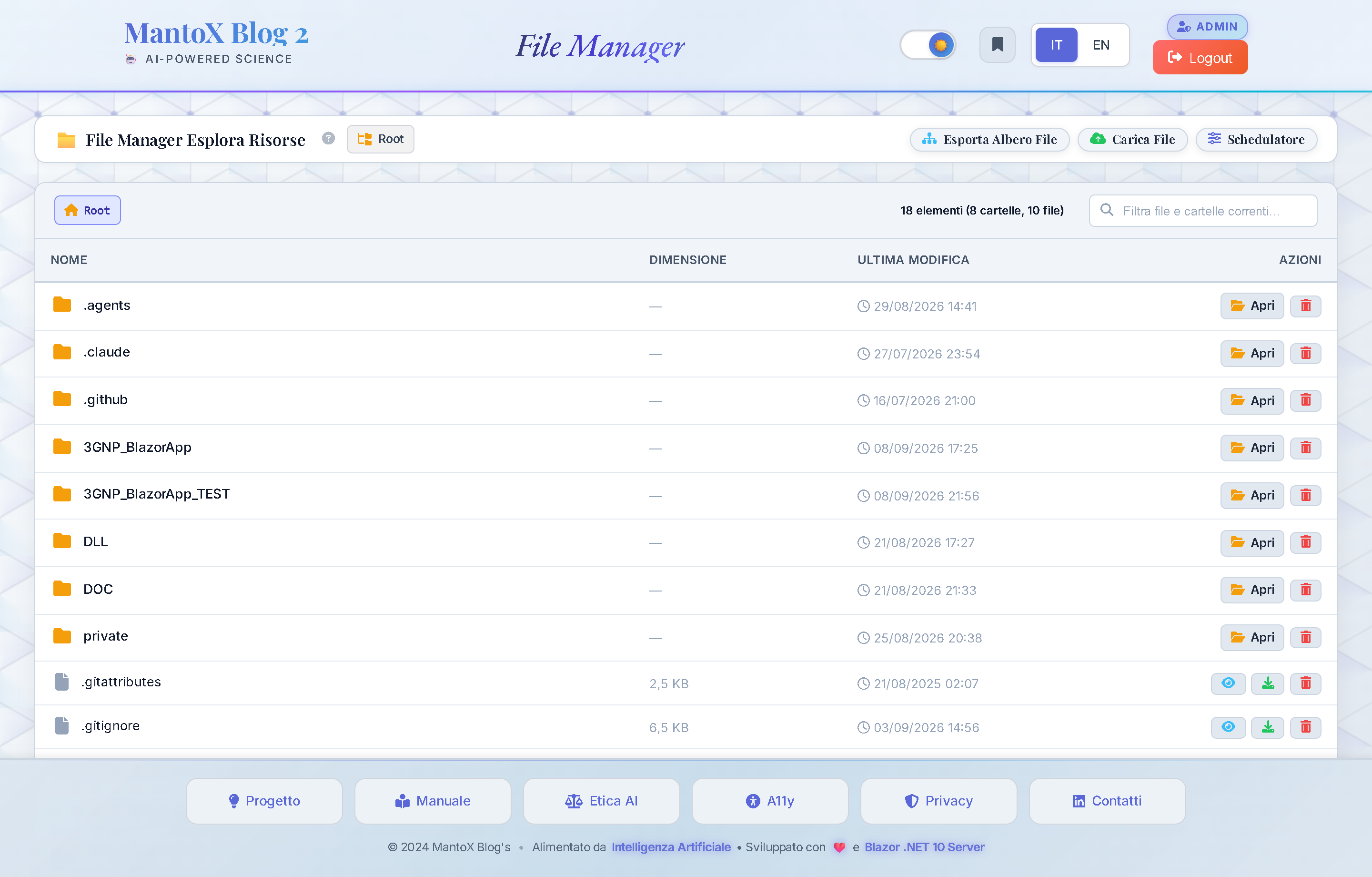
Functional Purpose: Secure filesystem explorer to inspect log files, preview generated audio MP3 tracks with built-in audio player, download backup archives, and upload configuration files.
Platform Highlights ("Chicche")
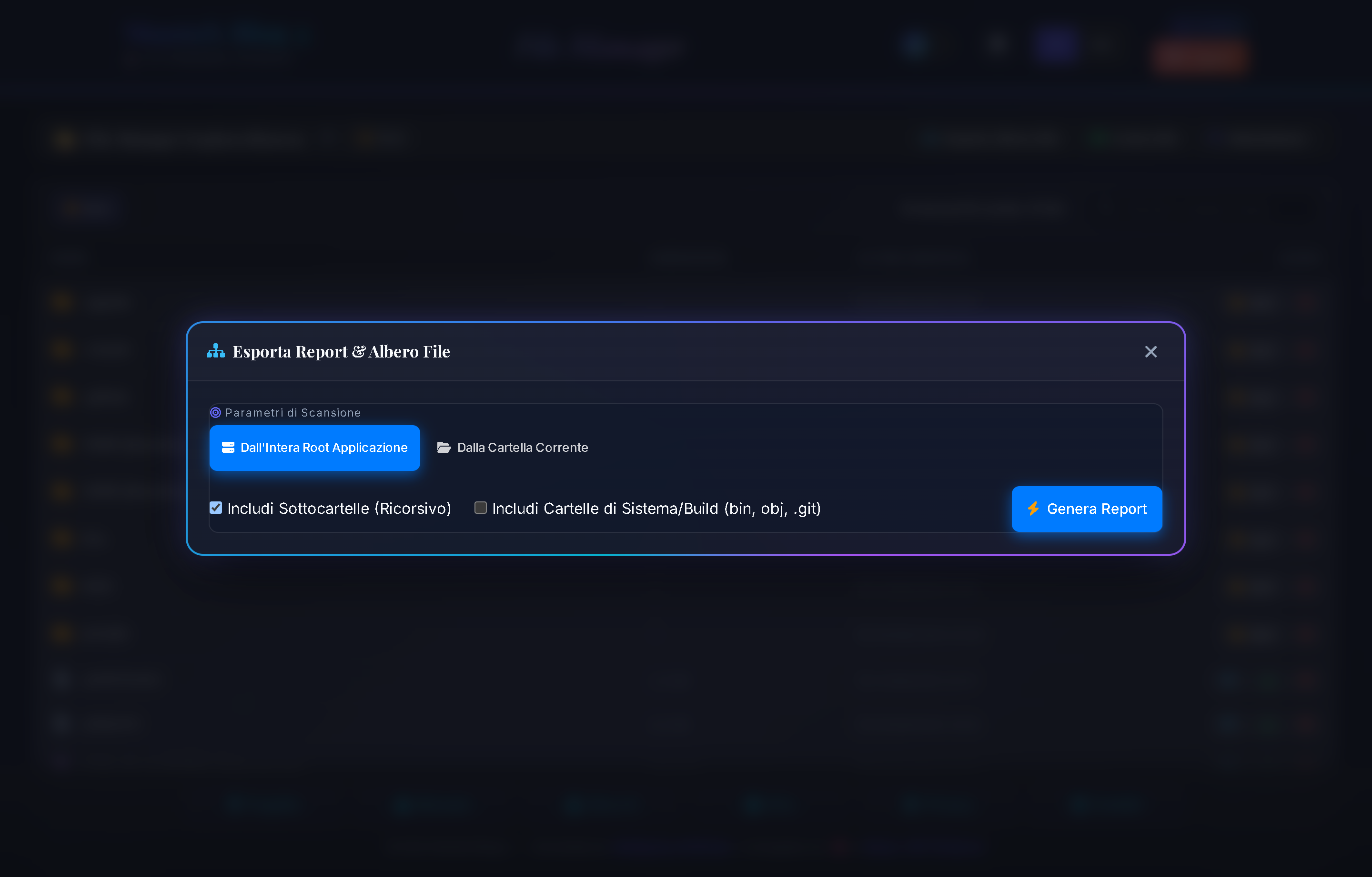
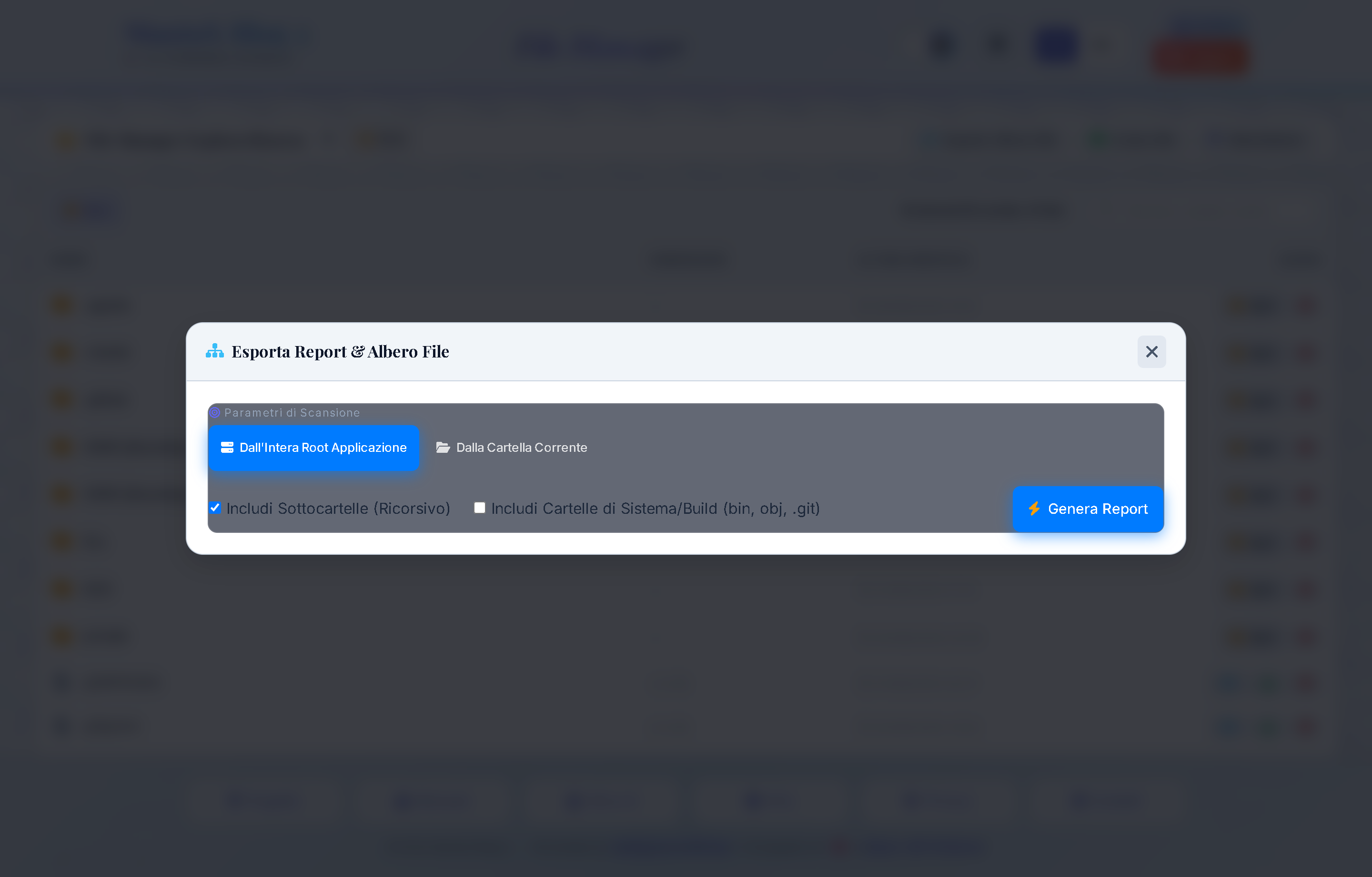
- Directory Tree Export Modal: Generates a full text report of the entire application directory hierarchy, detailing sizes, file counts, and subdirectories (Fig. 13.2).
- Integrated Audio Player: Click any generated MP3 file to stream audio directly inside the browser without downloading.
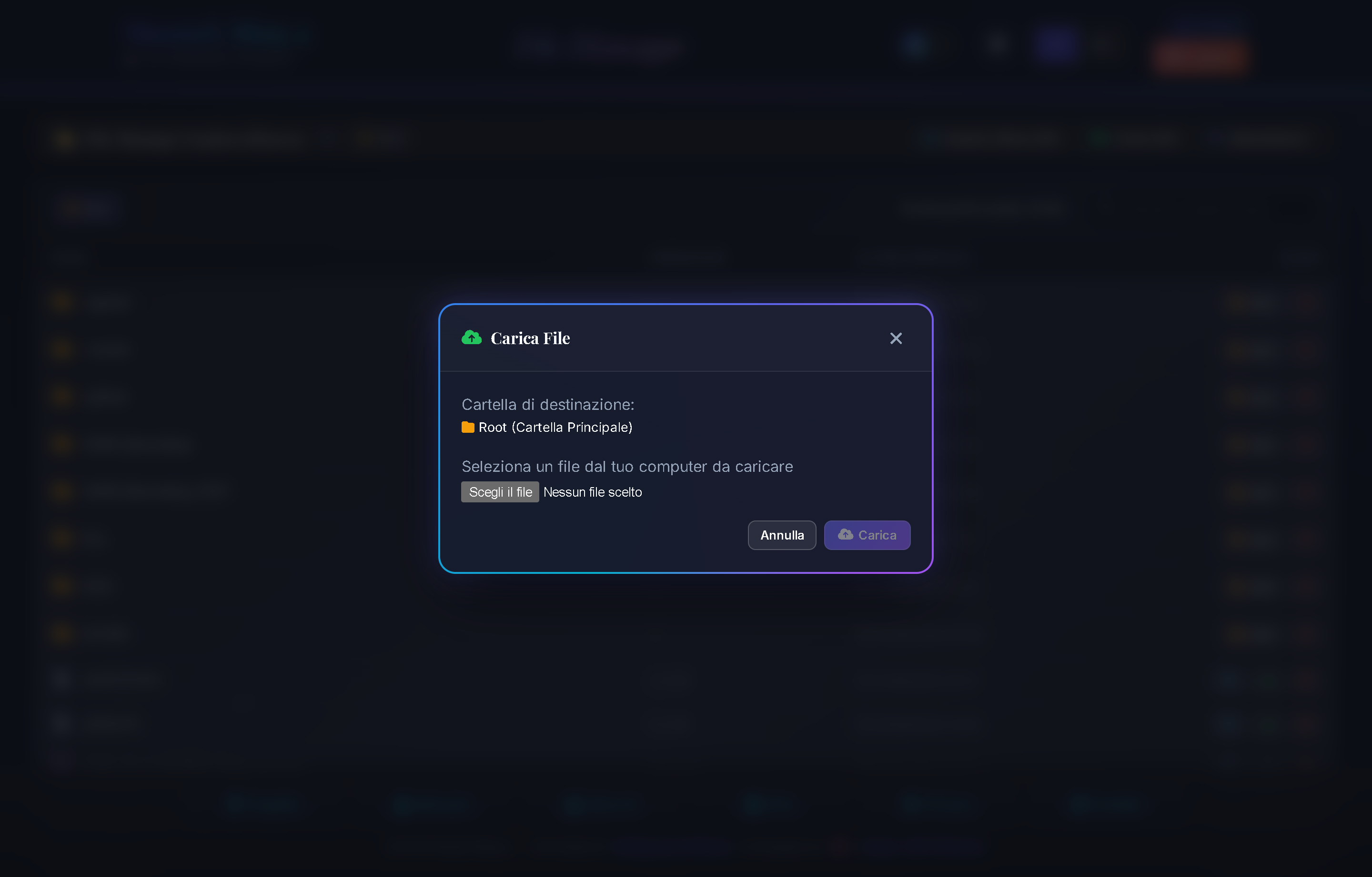
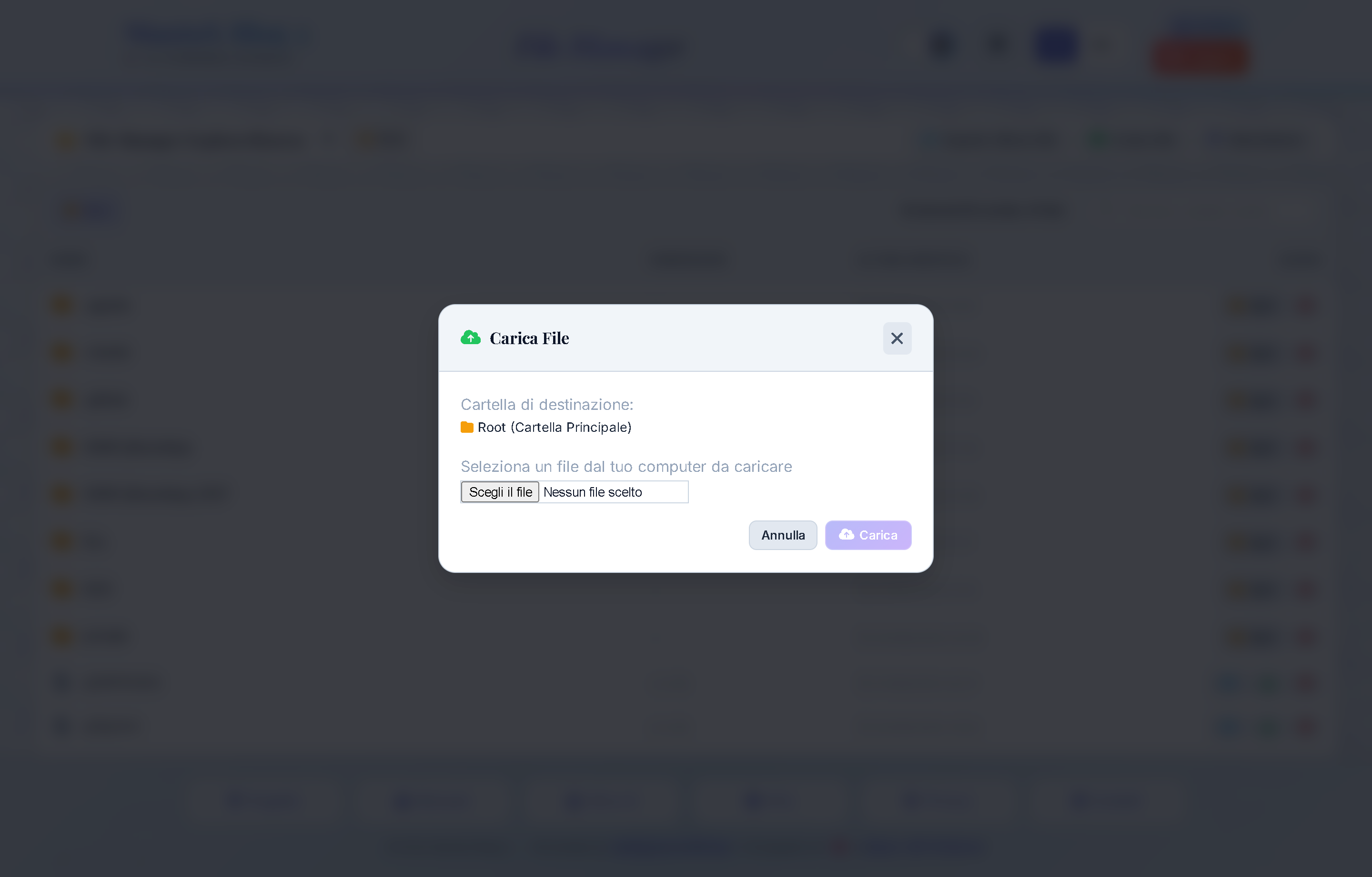
- Secure File Upload Modal: Upload configuration or data files with automatic extension validation and size constraints (Fig. 13.3).
- Real-Time Filter: Instant client-side search across all file and directory names in the current folder.
Controls & Buttons Map
①Navigable Breadcrumbs: Clickable path segments to navigate back to parent folders (e.g.Root › private › backup).②[ 🌳 Export Directory Tree ]Button: Opens modal to generate and download structured directory reports (Fig. 13.2).③[ ➕ Upload File ]Button: Opens modal to upload files into active folder (Fig. 13.3).④File Search Bar: Filters items in the current directory view.⑤Action Buttons on File Rows:👁️ Preview:Views text or opens audio player.⬇️ Download:Downloads file directly to local disk.🗑️ Delete:Opens confirmation modal before permanent removal.
Parameters & Configuration Domain
| Parameter & Values | Description & Operational Impact |
|---|---|
|
FileManager:AllowedExtensions
|
Security whitelist of file extensions permitted for upload, preventing dangerous executable uploads. |
|
FileManager:MaxUploadSizeBytes
|
Maximum allowable file size per upload to protect server storage. |
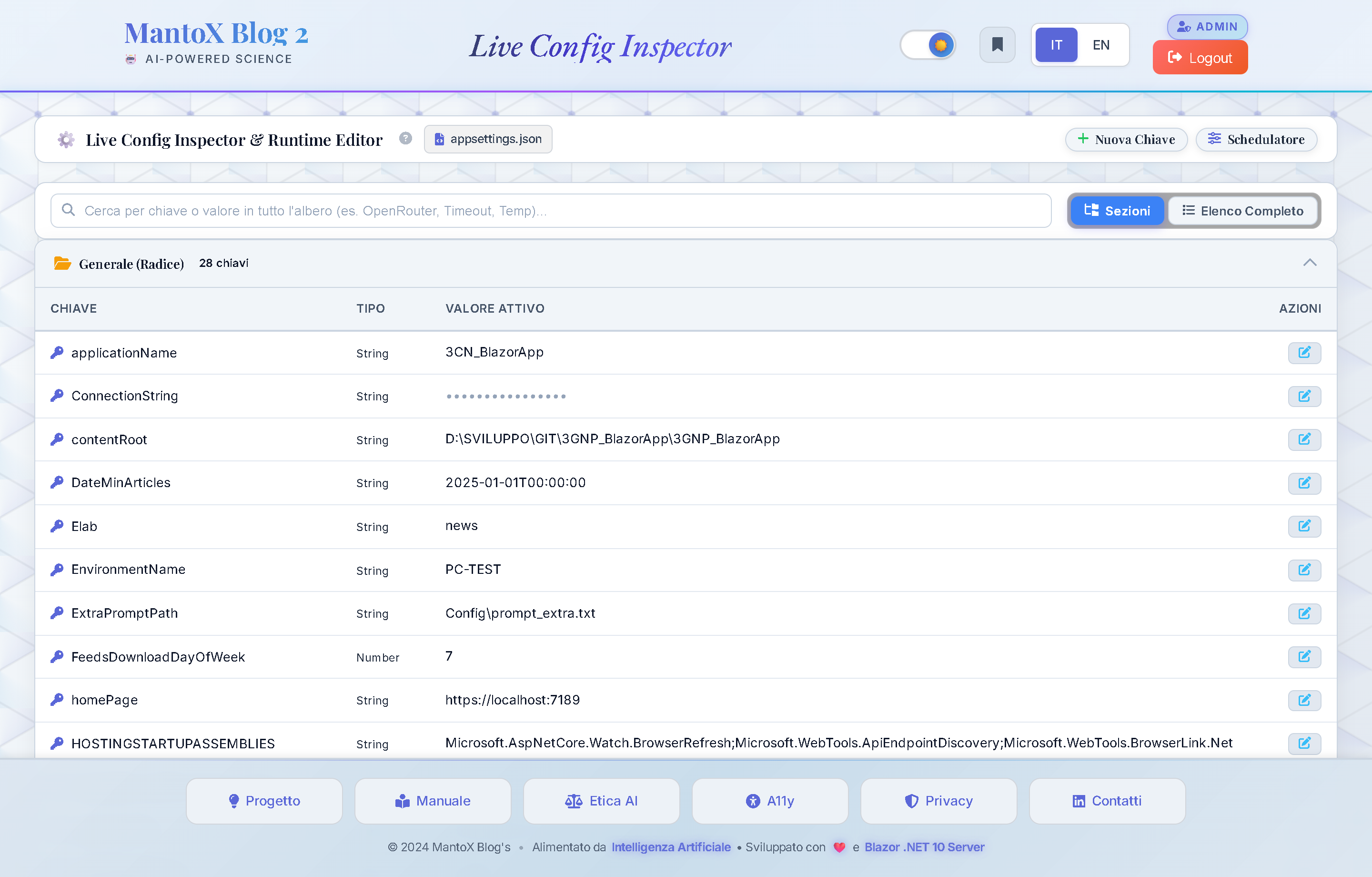
Live Config Inspector & Runtime Editor (/config)
Portal Location: Tool Hub ➔ Live Config (/config)
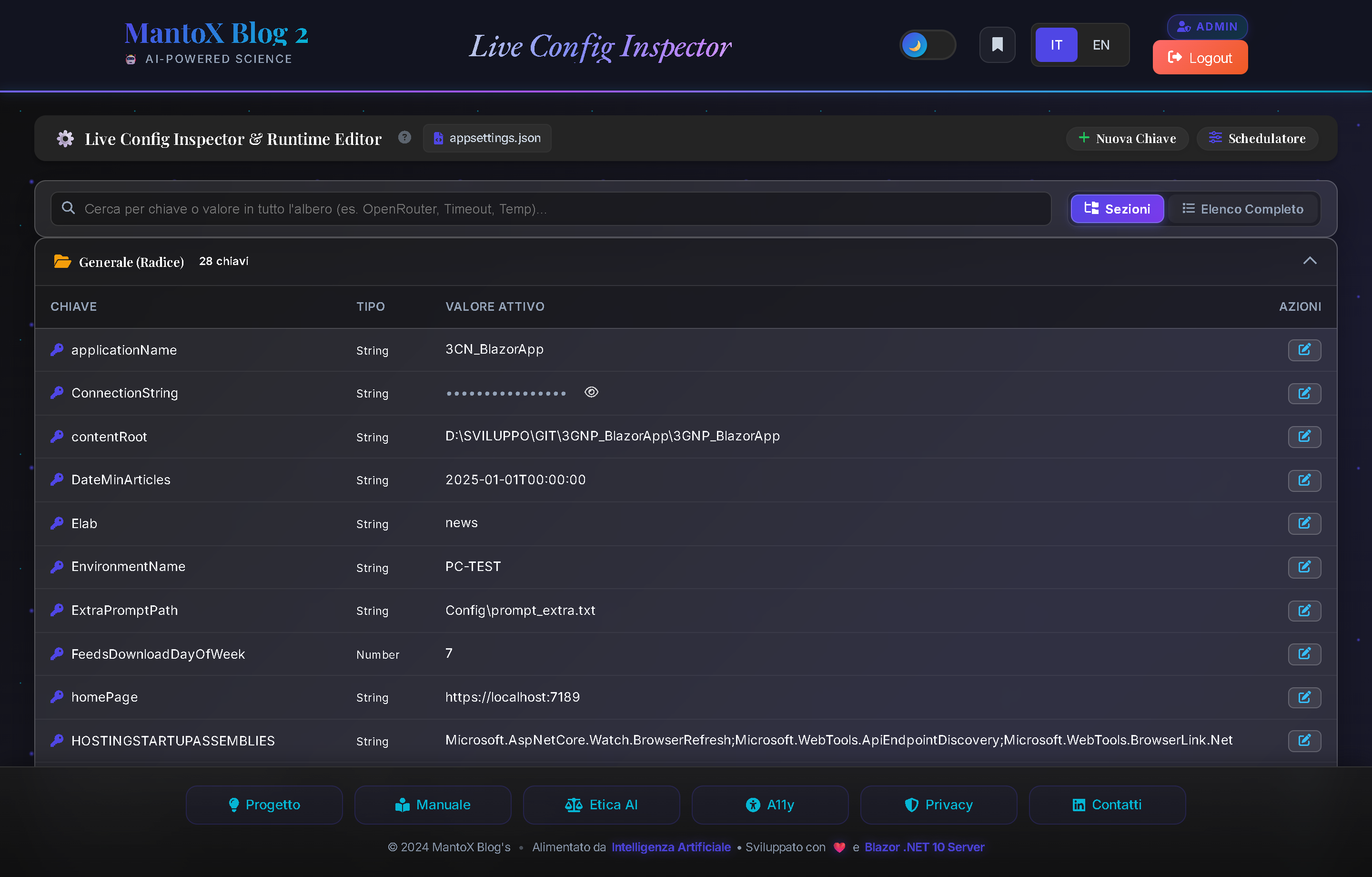
Functional Purpose: Inspects the full appsettings.json configuration tree and modifies operational parameters at runtime with zero downtime and no IIS restarts.
Platform Highlights ("Chicche")
- Zero-Downtime Overrides: Updates parameters in memory immediately without restarting IIS or interrupting running Quartz jobs.
- Tree vs Flat View Modes: Toggle between collapsible section tree and full searchable flat table with a single click.
- Secrets Masking & Reveal: API keys, passwords, and tokens are masked by default (`••••••••••••••••`) with a toggle button to reveal values securely.
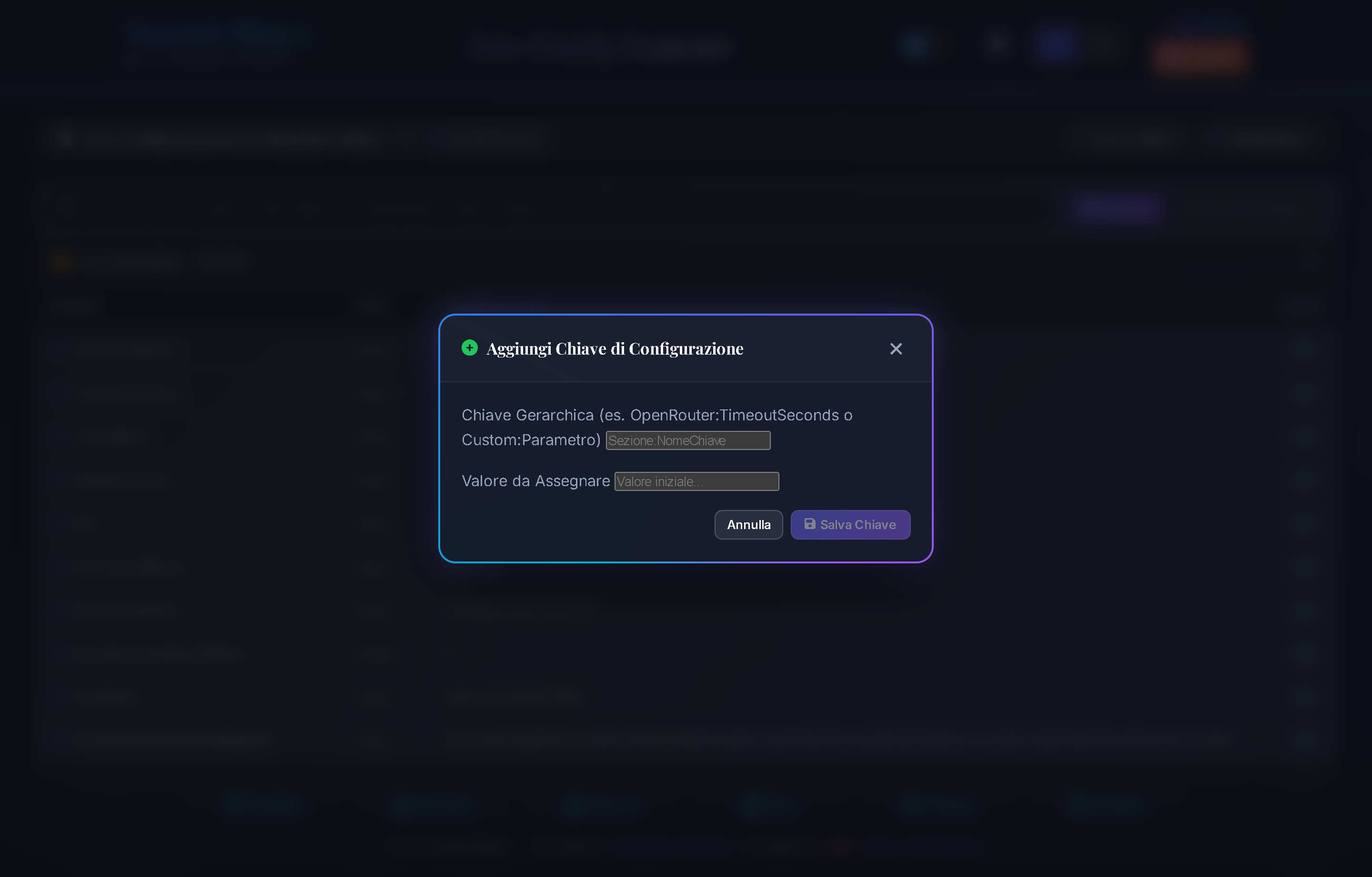
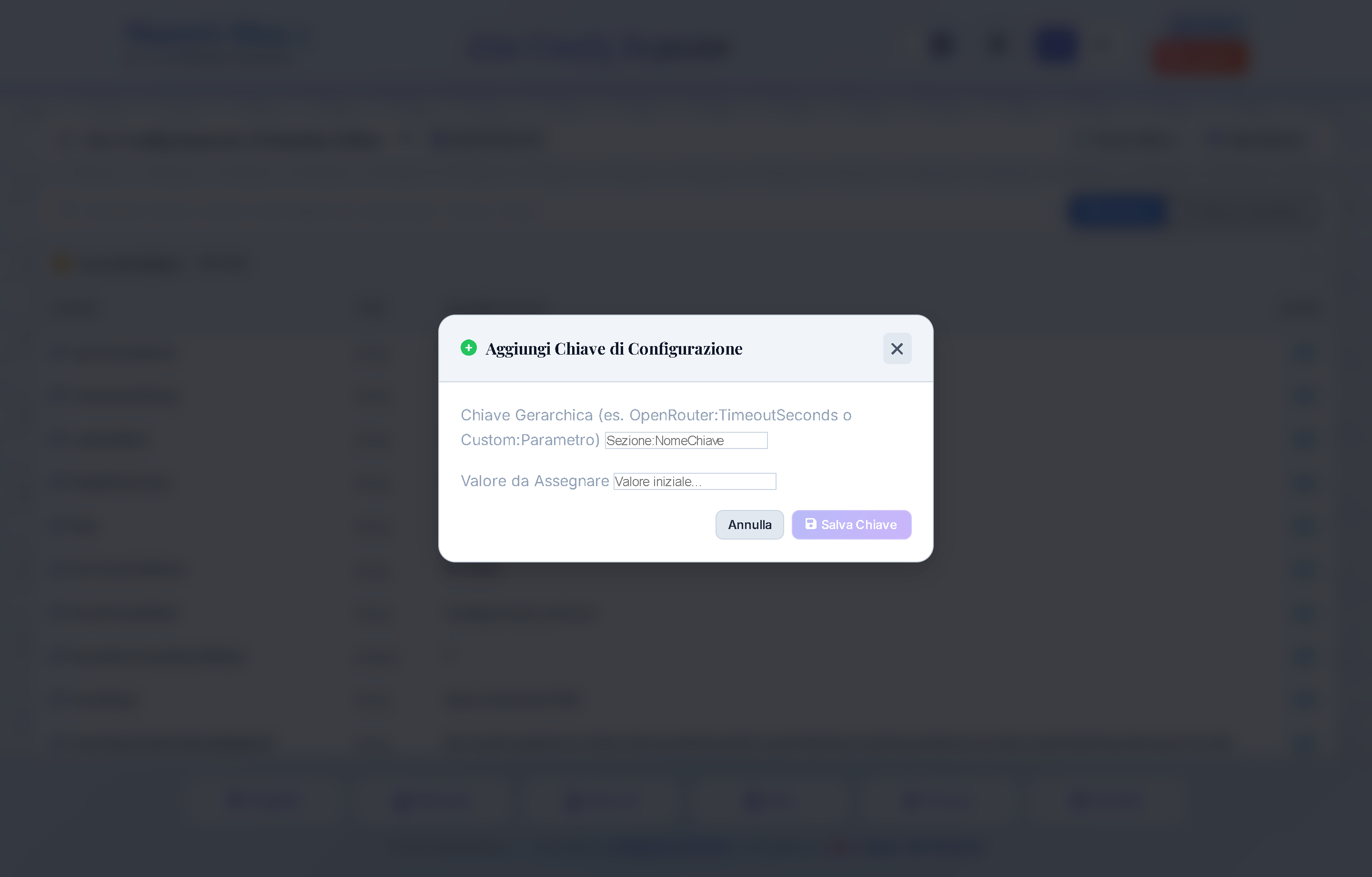
- New Key Registration Modal: Register new hierarchical properties with automatic type detection (Fig. 14.2).
Controls & Buttons Map
①View Mode Selector ([ 📁 Sections ]/[ 📋 Flat List ]): Switches between hierarchical section tree and flat list.②[ ➕ New Key ]Button: Opens modal to register a new configuration property (Fig. 14.2).③Search Bar: Real-time filtering across keys and values.④[ ✏️ Edit ]Button: Switches row into inline editor (with boolean toggle switch or text input).⑤[ 👁️ Eye ]Button: Unmasks/masks secret values.
Parameters & Configuration Domain
| Parameter & Values | Description & Operational Impact |
|---|---|
|
LiveConfig:EnableRuntimeOverrides
|
Enables hot-reloading and memory overrides of configuration properties. |
|
LiveConfig:PersistToDisk
|
Controls whether runtime updates are persisted back to appsettings.json. |
Resources & Localization Manager (/resources)
Portal Location: Tool Hub ➔ Resources & Languages (/resources)
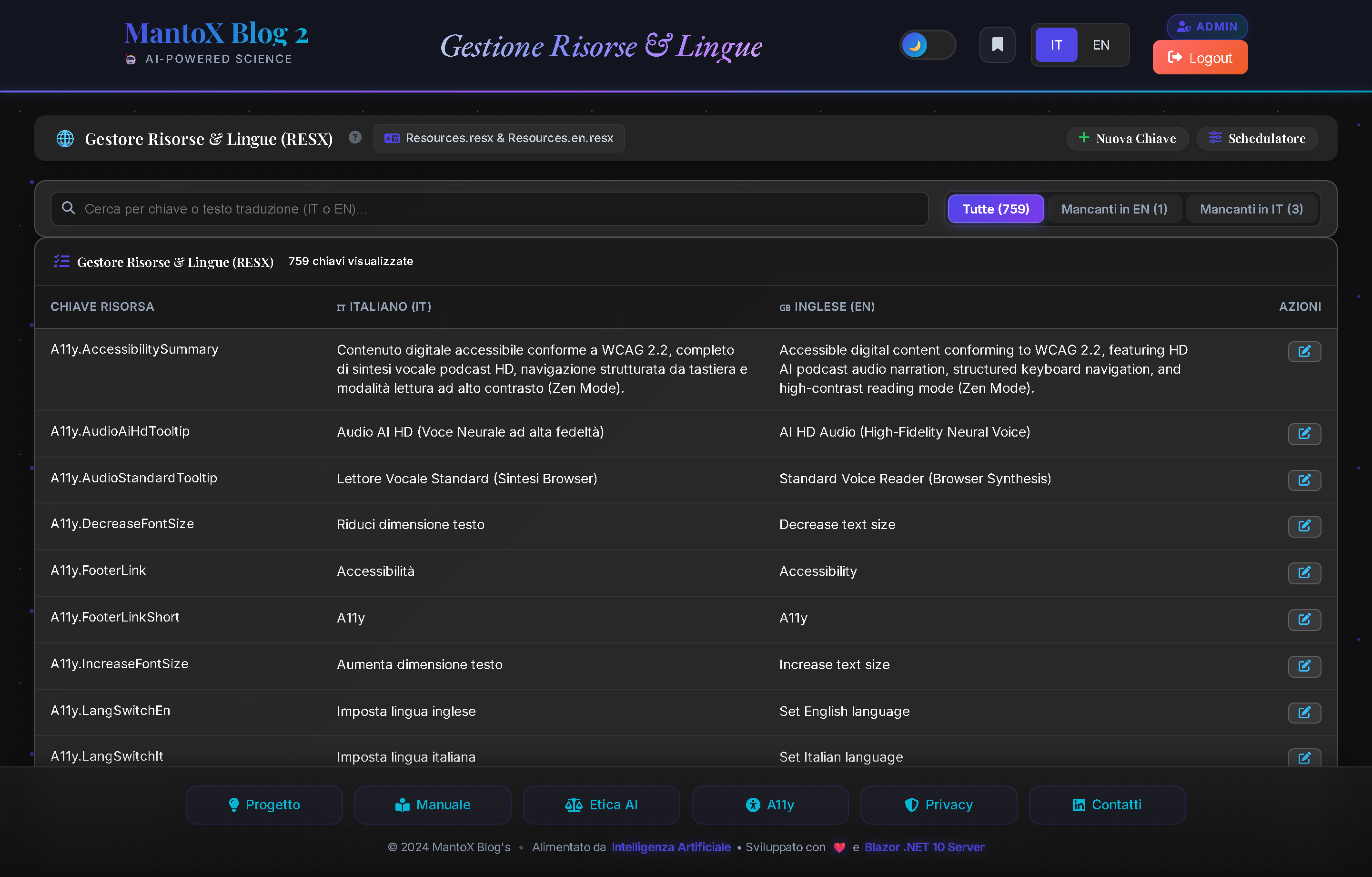
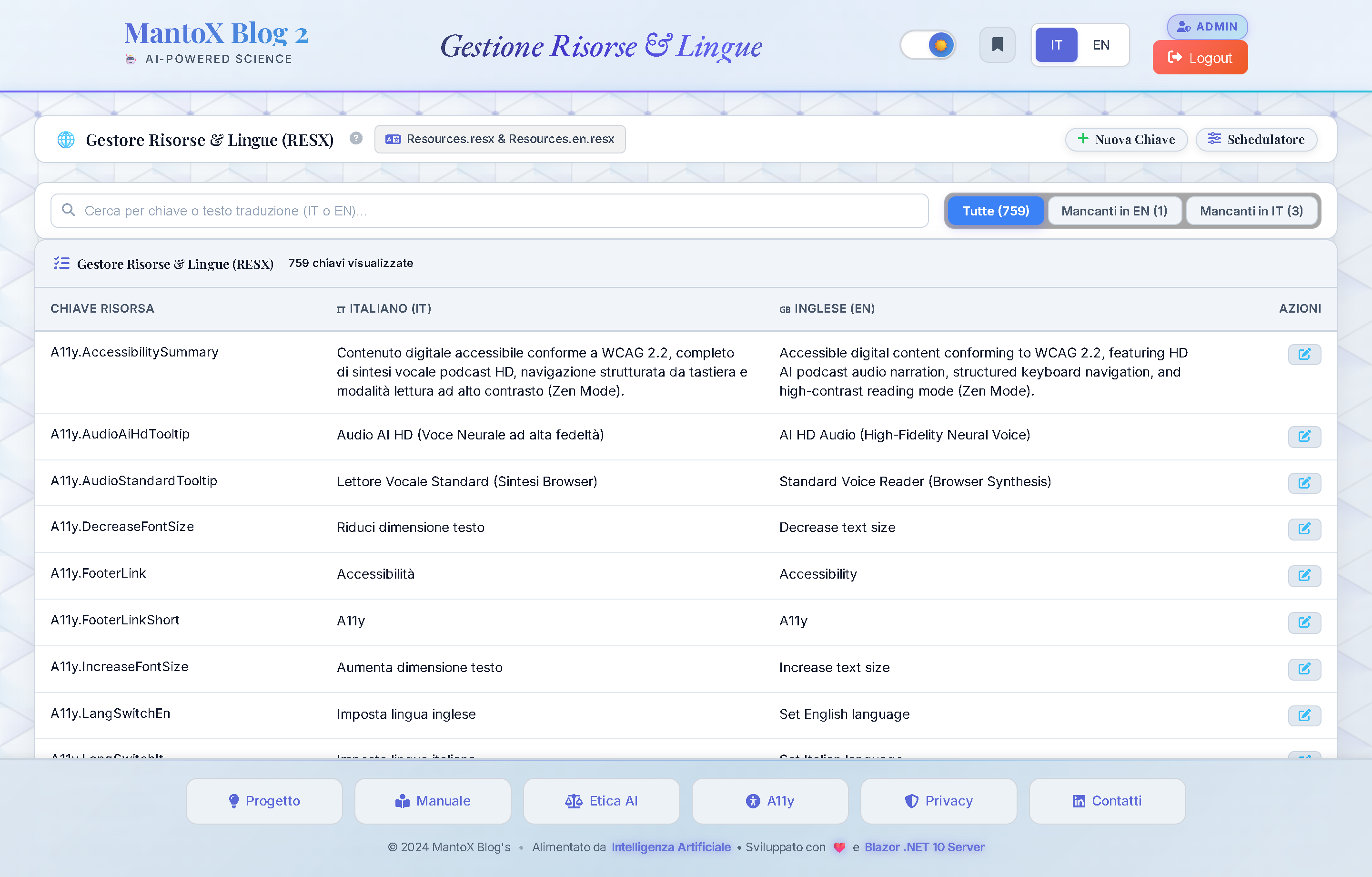
Functional Purpose: Centralized runtime management of all UI strings, buttons, labels and bilingual tooltips (Italian Resources.resx / English Resources.en.resx) with memory override cache.
Platform Highlights ("Chicche")
- Missing Translations Diagnostic Tabs: Filter tabs
[ Missing in EN (N) ]and[ Missing in IT (N) ]isolate untranslated keys instantly, ensuring 100% bilingual parity. - Side-by-Side Bilingual Editor: Edit Italian and English text simultaneously with instant preview of formatting.
- Atomic Disk & Memory Sync: Changes are saved directly into `.resx` XML files and updated in the in-memory cache without application restarts.
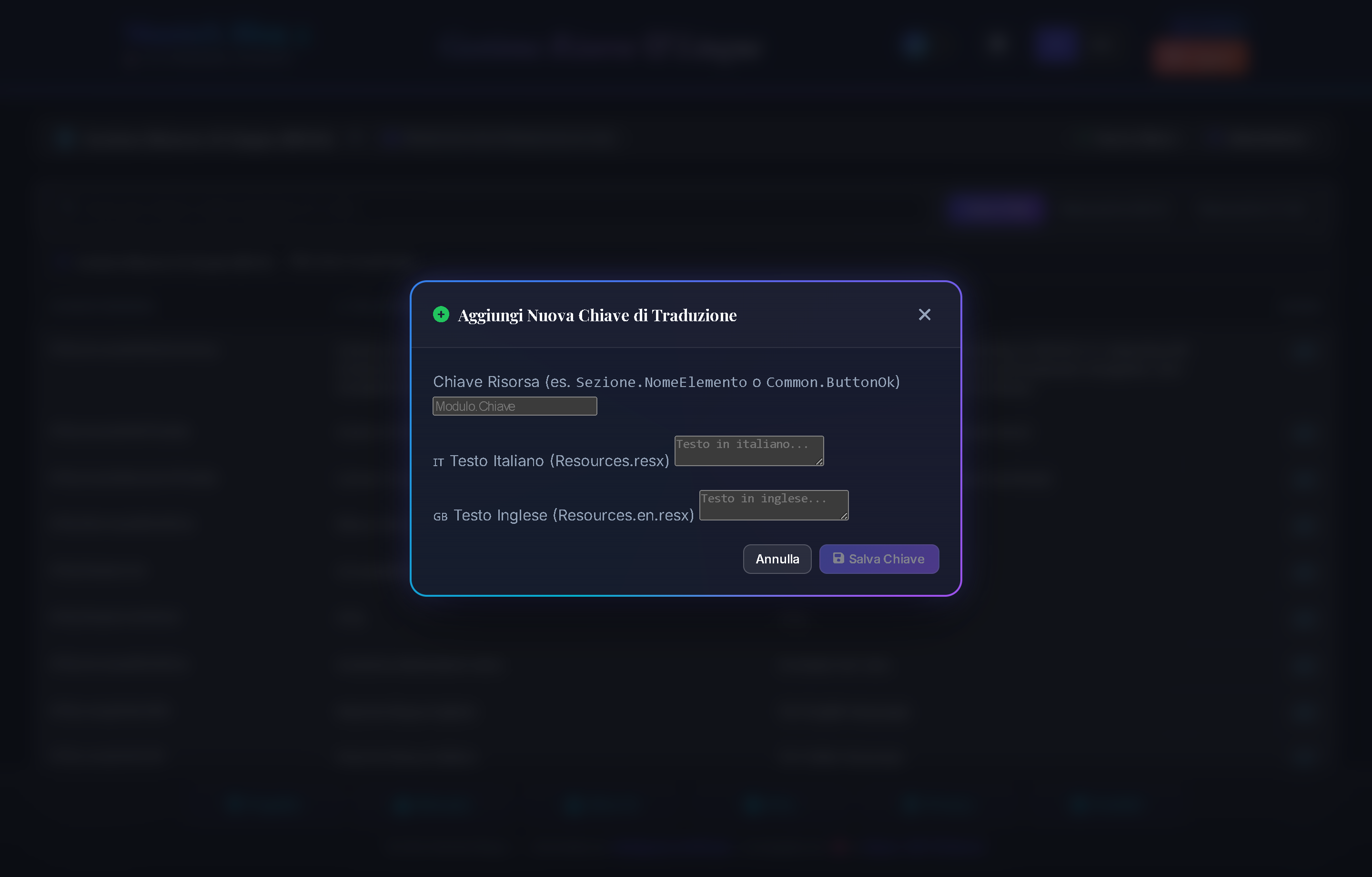
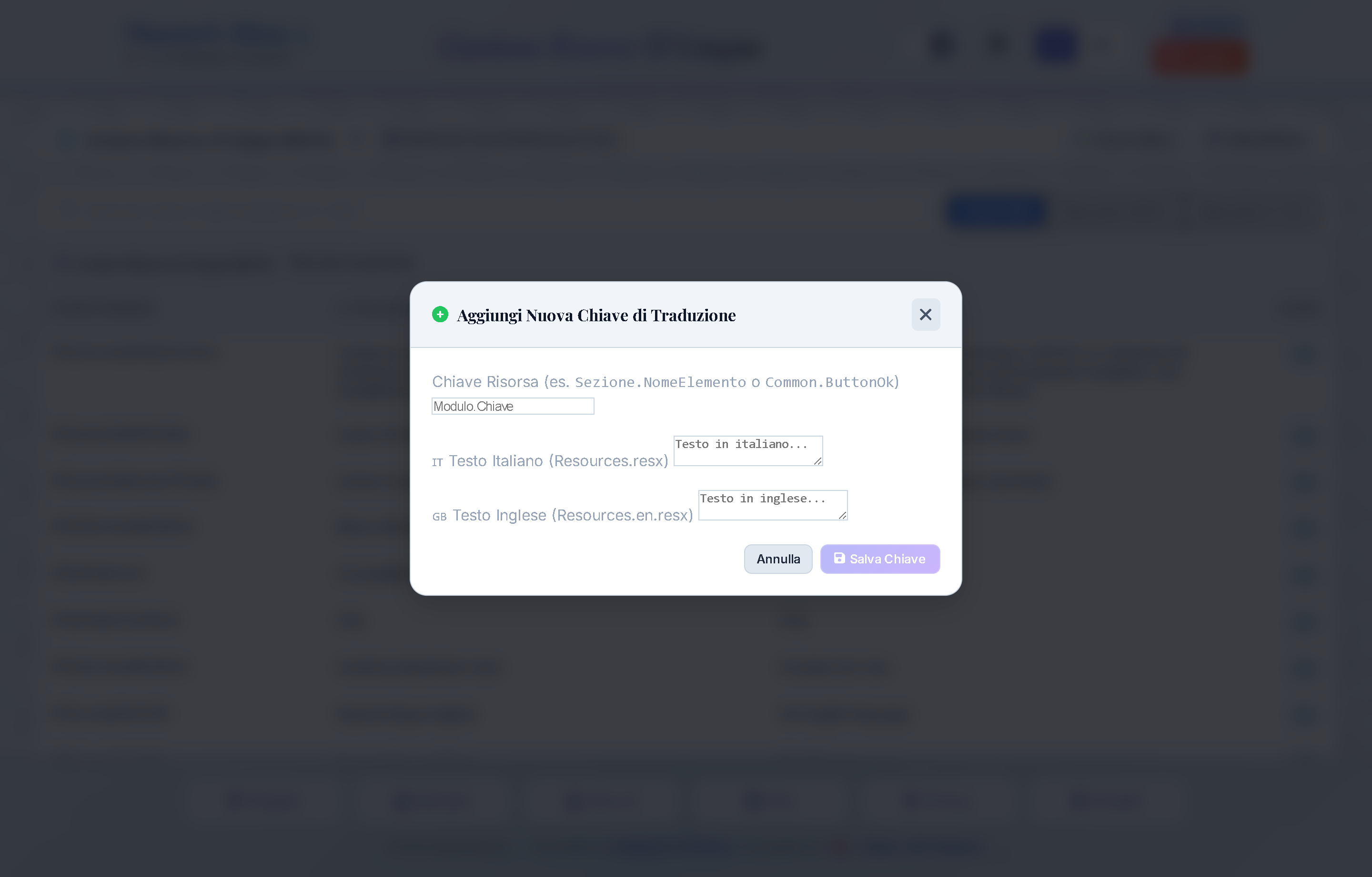
- New Bilingual Key Registration Modal: Create new localized strings with both Italian and English values in one operation (Fig. 15.2).
Controls & Buttons Map
①[ All (N) ]Filter Tab: Shows all registered translation keys.②[ Missing in EN (N) ]Filter Tab: Isolates keys lacking English translation for fast completion.③[ Missing in IT (N) ]Filter Tab: Isolates keys lacking Italian translation.④[ ➕ New Key ]Button: Opens modal to register a new bilingual key (Fig. 15.2).⑤[ ✏️ Edit ]Button: Activates side-by-side editing textareas for Italian and English.
Parameters & Configuration Domain
| Parameter & Values | Description & Operational Impact |
|---|---|
|
Localization:SupportedCultures
|
List of supported RFC 4646 language cultures available in UI switcher. |
|
Localization:DefaultCulture
|
Fallback culture applied when user browser culture is unsupported. |
GEO, LLMO & Schema.org Structured Data (/llms.txt)
Portal Location: Public Endpoints (/llms.txt, /llms-full.txt) & HeadContent (/{slug})
Functional Purpose: Advanced Generative Engine Optimization (GEO for Perplexity AI, ChatGPT Search, Google Gemini, and Claude) and classical search engine indexing, exposing native Markdown streams and Schema.org JSON-LD graph metadata.
Specifications & Endpoint Map
①GET /llms.txtEndpoint: Delivers a concise platform overview in clean Markdown for AI Crawlers: editorial mission, canonical category links, and current top stories.②GET /llms-full.txtEndpoint: Full structured text dump with article summaries, expert insights, and Smart Q&A takeaways (ELI5, Pros & Cons, What's Next) enabling generative engines to cite 3CN as a primary source.③Schema.orgNewsArticleGraph: Emits ISO 8601 publication/modification timestamps, author, category, tags, and canonical URL in every article's<head>block.④AudioObjectAttachment: Directly links the neural HD MP3 podcast track to the article for search cataloging and Google News audio features.⑤FAQPageEntity: Models the 3 Smart Q&A flash pills as structured Question/Answer pairs to trigger expandable Rich Snippets in Google Search results.
SEO Indexing Hub & IndexNow Protocol (/Sched)
Portal Location: Batch Scheduler & Console (/Sched) & Review Workflow (/review)
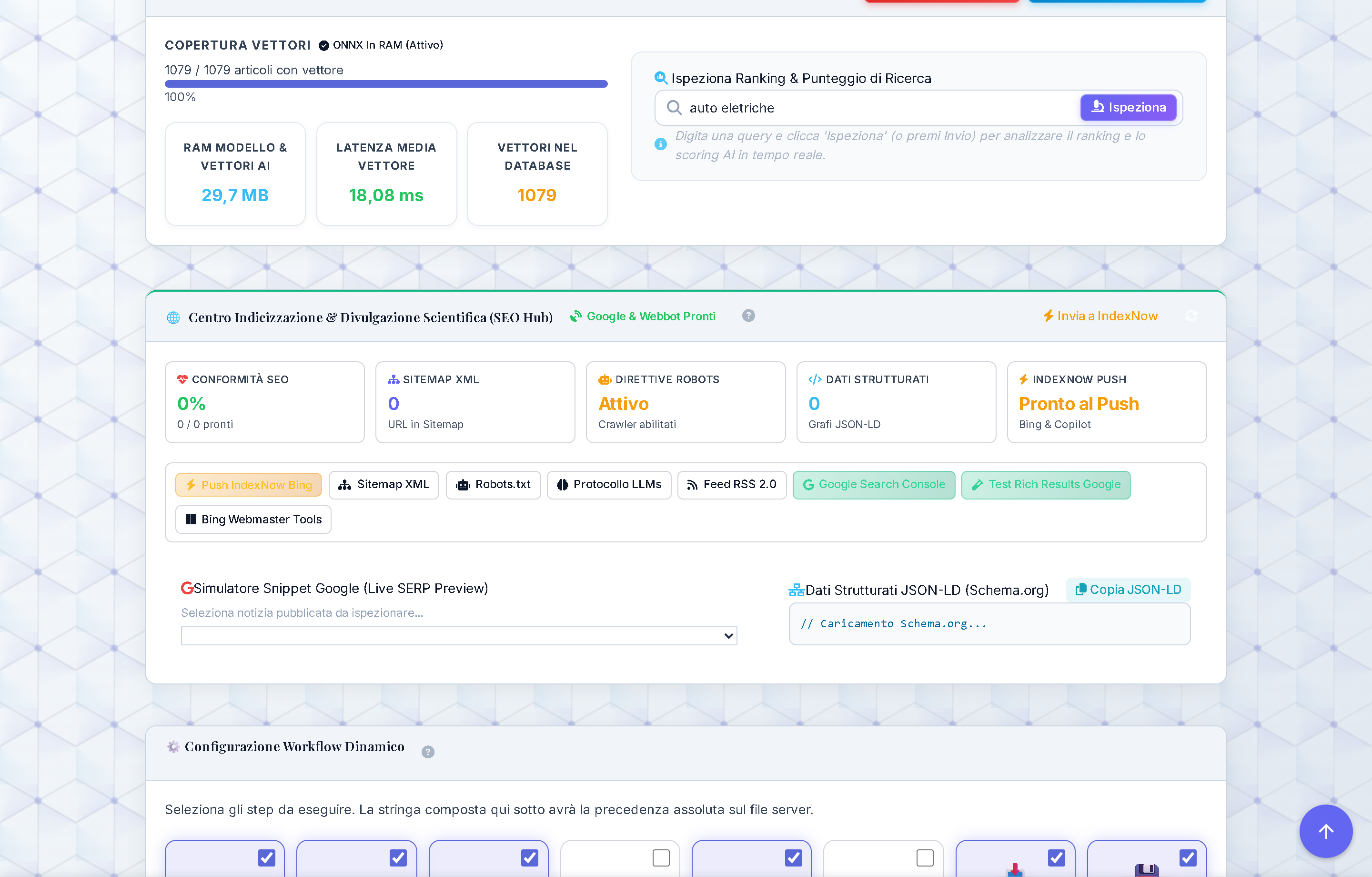
Functional Purpose: Centralized real-time monitoring and indexing hub for classical search engines (Google, Bing, Yandex, Seznam) and AI search assistants (Microsoft Copilot). It unites continuous technical SEO compliance auditing (descriptive slugs, dynamic sitemap, crawler directives, JSON-LD graphs) with the instant IndexNow push protocol: upon editorial approval in /review, the new URL is instantly submitted to the Bing API within seconds, while /Sched provides a bulk push utility for all published content.

Controls Map & KPI Cards
①"SEO Compliance" Card: Measures the percentage of published articles with complete metadata, valid bilingual SEO slugs and clean summaries; the info icon(i)shows a descriptive tooltip on hover.②"XML Sitemap" Card: Live count of URLs mapped in the/sitemap.xmlendpoint (articles, categories, institutional pages), ensuring no approved content remains unindexed.③"Robots Directives" Card: Operational status of/robots.txt, configured to welcome Googlebot, Bingbot, and LLM web crawlers (GPTBot, PerplexityBot, ClaudeBot), while protecting private administrative routes.④"Structured Data" Card: Count of active Schema.org JSON-LD graphs (NewsArticle,BreadcrumbList,AudioObject,FAQPage) verified at runtime.⑤"IndexNow Push" Card: Monitors real-time connection status to the IndexNow protocol, reporting "Ready" or the count of URLs successfully synced with Bing and partner search networks.⑥[ ⚡ Push to IndexNow ]Button: Triggers bulk submission of all published articles to the IndexNow API (https://api.indexnow.org/indexnow) via serialized batches validated by domain host key verification (/{key}.txt).⑦[ 🗺️ XML Sitemap ]Button: Opens the dynamic XML sitemap in a new tab for direct inspection of<lastmod>timestamps and entry structure.⑧[ 🤖 Robots.txt ]Button: Immediately inspects the live crawler directive file to confirm user-agent permissions and sitemap pointer.⑨[ 🔍 Search Console ]Button: Direct shortcut to the verified Google Search Console property to monitor impressions, clicks, rankings and crawl health.⑩SERP & Schema.org Inspector: Interactive preview widget displaying the exact search snippet rendering (title, date, breadcrumb, description) alongside the live JSON-LD payload for any selected article.
Recommended Operational Workflow:
1. Automatic Workflow: When editorial approves an article in /review, the system automatically pushes the URL to IndexNow in the background with zero latency.
2. Routine Audit: Visit /Sched and check that the SEO Compliance KPI remains ≥ 99% with green badges across all boxes.
3. Bulk Refresh: After global routing or template updates, click [ ⚡ Push to IndexNow ] to force fresh indexing across Bing, Copilot, and Yandex.
4. Google Verification: Open [ 🔍 Search Console ] to monitor crawl rate, index status and verify 0 404/redirect errors.
Parameters & Configuration Domain
| Parameter & Values | Description & Operational Impact |
|---|---|
|
IndexNow:Enabled
|
Enables or suspends automatic and manual push notifications to the IndexNow API. |
|
IndexNow:ApiKey
|
Unique alphanumeric IndexNow key; matches the verification file served at https://domain/{ApiKey}.txt. |
|
IndexNow:Host
|
Canonical verified domain name for URL submissions; prevents HTTP 422 host mismatch errors. |
|
IndexNow:BatchSize
|
Maximum number of URLs per single HTTP POST payload sent to the IndexNow API endpoint. |
Architecture Deep Dive: For technical GEO specifications, unified Schema.org graph and AI Search Engine discovery models, consult Project ➔ Chapter 12: SEO, GEO & LLMO Infrastructure.
Backup, Restore & Disaster Recovery
Portal Location: Tool Hub ➔ Backup Manager (/tools/backup) & Pre-Deploy Rollback Script
Functional Purpose: Guarantees business continuity, data integrity, and instant disaster resilience across all platform layers. The system employs a dual resilience strategy: automated pre-deploy backup (WebDeploy package and SQL Server snapshot before every production deployment with instant 30-second hot rollback) and manual/scheduled snapshot management from the administrative console for database and media assets.
Resilience Highlights ("Chicche")
- Automated Pre-Deploy Snapshot: Every publish script run automatically bundles a timestamped compressed ZIP archive of the entire IIS application folder and a native SQL Server backup before overwriting a single byte.
- Instant 30-Second Rollback: In case of post-deployment exceptions or regressions, administrators can restore the previous known-good deployment with a single PowerShell command, completely eliminating downtime.
- Emergency RecoveryKey Procedure: If administrator email delivery is unavailable, the emergency URL
/login?token=RECOVERY_KEYsafely triggers a fresh magic link without exposing credentials or introducing insecure production bypasses. - Automated Retention & Disk Pruning: Snapshots older than the configured threshold (default: 30 days) are automatically pruned by background maintenance jobs to prevent storage saturation.
Controls Map & Operational Boxes
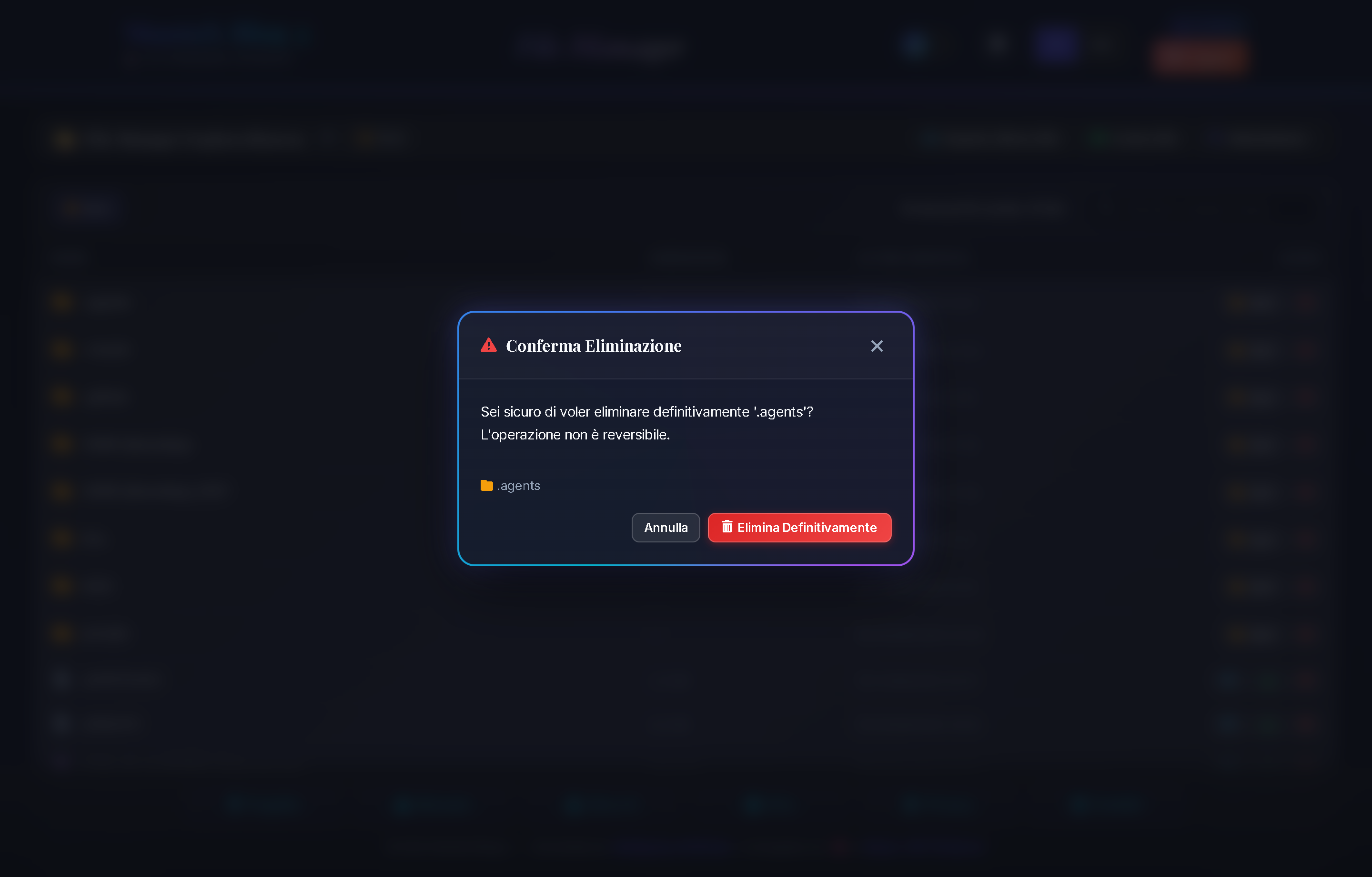
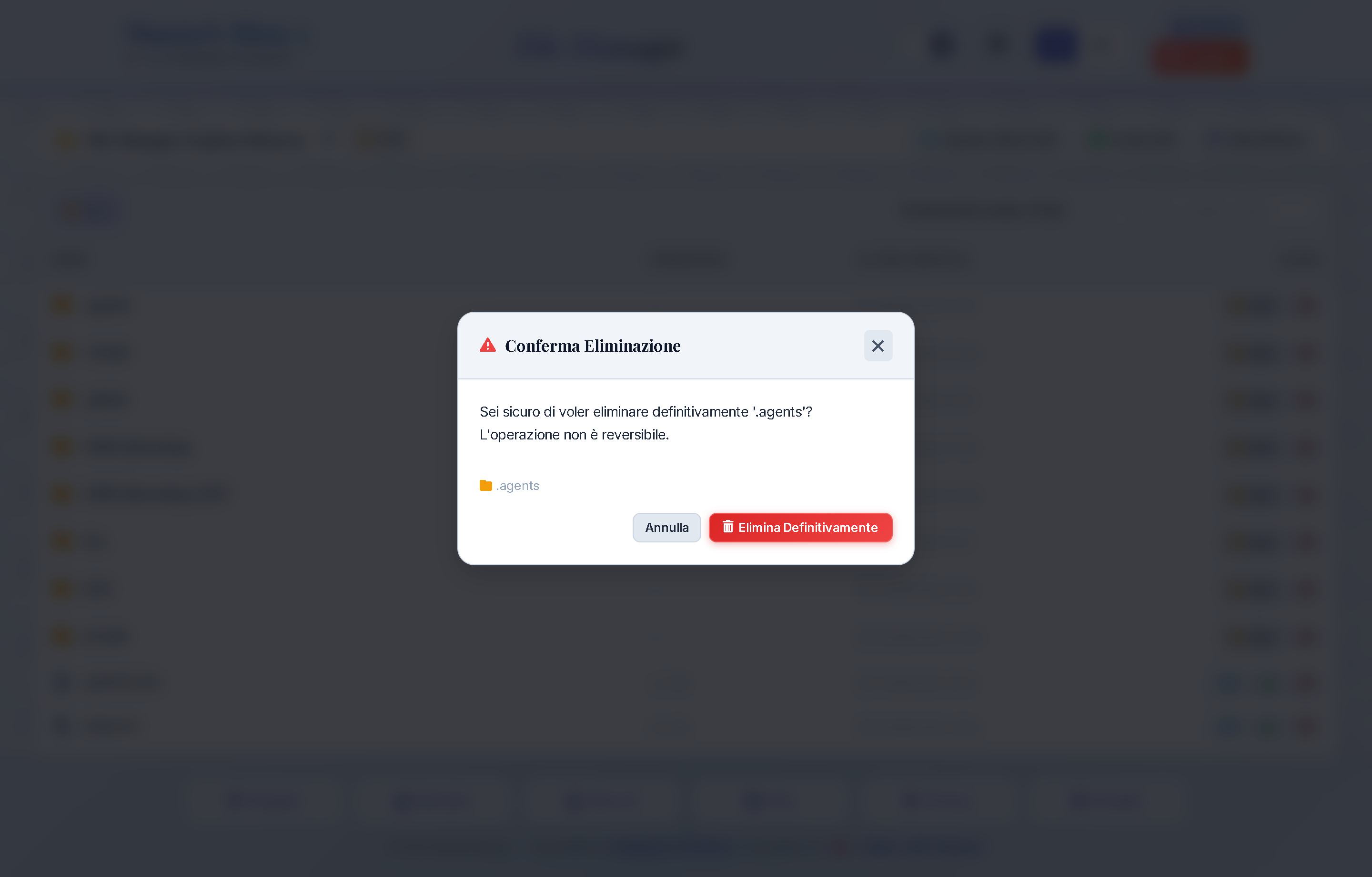
①Snapshot Statistics & Storage Footprint: Real-time counter of available restore points, timestamp of latest verified backup, and total disk usage.②[ 💾 Create New Backup ]Button: Opens modal to execute on-demand hot backups (SQL Database, Media Assets, or Full System Snapshot).③Chronological Snapshots Table: Detailed list with creation timestamps, archive file sizes, backup scopes, SHA-256 checksums, and notes.④[ ⬇️ Download Archive ]Button: Downloads selected `.zip` backup archive for secure off-site cold storage.⑤[ 🔄 Restore ]Button: Initiates guarded recovery modal with mandatory confirmation to prevent accidental overwrites.⑥[ 🗑️ Delete Snapshot ]Button: Permanently deletes obsolete backup files to reclaim disk volume capacity.
Guided Restore Modal (Fig. 18.2)
CAUTION: Destructive Operation: Restoring a snapshot overwrites active application data with state frozen at backup creation. The restore wizard enforces three safety checks:
- Schema Compatibility Verification: Confirms that database schema version in backup is compatible with active binaries.
- Pre-Restore Safety Snapshot: Creates an emergency rollback point ("Safety Snapshot") of current live data before applying restore.
- Explicit Confirmation Word: The administrator must type the exact confirmation keyword
RESTOREinto the verification input to unlock the restore action.
Emergency Quick Rollback Workflow (IIS Production)
If IIS server becomes unresponsive following a failed deployment:
- Open a PowerShell terminal on the host server or via remote session.
- Navigate to the deployment root and execute:
.\rollback.ps1. - The script gracefully stops the IIS AppPool, swaps binaries from
_backup_pre_deploy, and restarts the service in under 30 seconds. - If admin email access is blocked, browse to
https://yourdomain.com/login?token=YOUR_RECOVERY_KEYto receive a fresh magic link.
Parameters & Configuration Domain
| Parameter & Values | Description & Operational Impact |
|---|---|
|
Backup:StoragePath
|
Filesystem path (local folder or mounted storage volume) where ZIP archives and SQL dumps are preserved. |
|
Backup:RetentionDays
|
Days of backup history retained before automatic cleanup by the nightly Quartz maintenance job. |
|
Backup:CompressLevel
|
Deflate/GZip compression level applied when generating archives to balance throughput and disk consumption. |
|
Auth:RecoveryKey
|
Emergency token used to trigger administrative login magic link; verified using constant-time hash comparison against timing attacks. |
Architecture Deep Dive: For full WebDeploy workflows, disaster recovery specifications and off-site backup architectures, see Project ➔ Chapter 10: Security, Backup & Resiliency.